Mystore Help Centerhttps://help.mystore.in/s/62ea2c599d1398fa16dbae0a/66defda954ce55002beebf8c/mystore-logo-480x480.png
Mystore Help Center
,
+918010412412https://help.mystore.in/s/62ea2c599d1398fa16dbae0a/66defda954ce55002beebf8c/mystore-logo-480x480.png"[email protected]
Seller Dashboard
Ask AI

Seller Dashboard

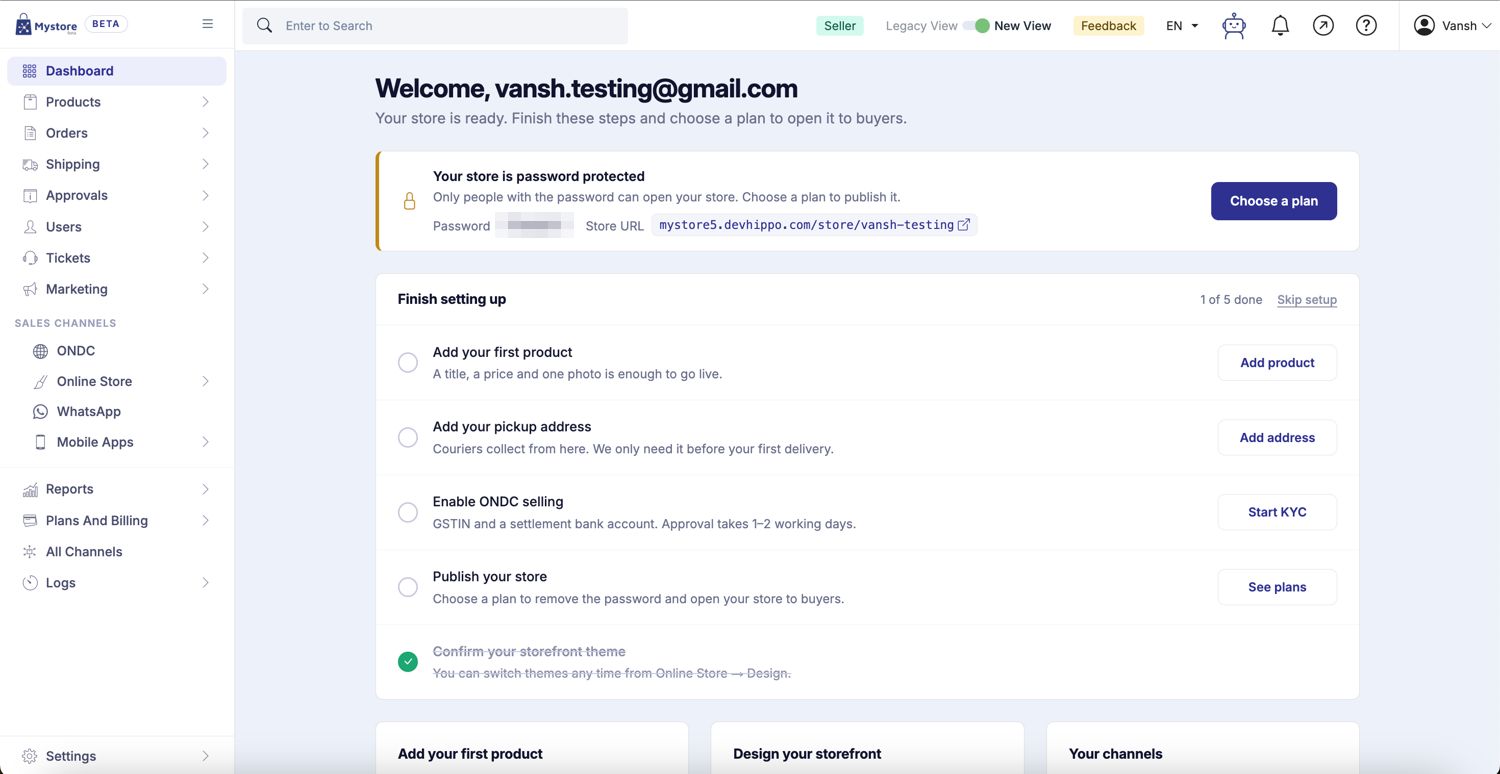
The Mystore Seller Panel is your centralized dashboard to manage every aspect of your online store — from adding products and processing orders to customizing your site and tracking payments. Each module in the panel is designed to simplify your workflows, improve visibility, and empower you to run your business efficiently. This overview helps you understand the purpose of each section in the sidebar so you can navigate with ease and make the most of Mystore’s powerful tools.

Dashboard

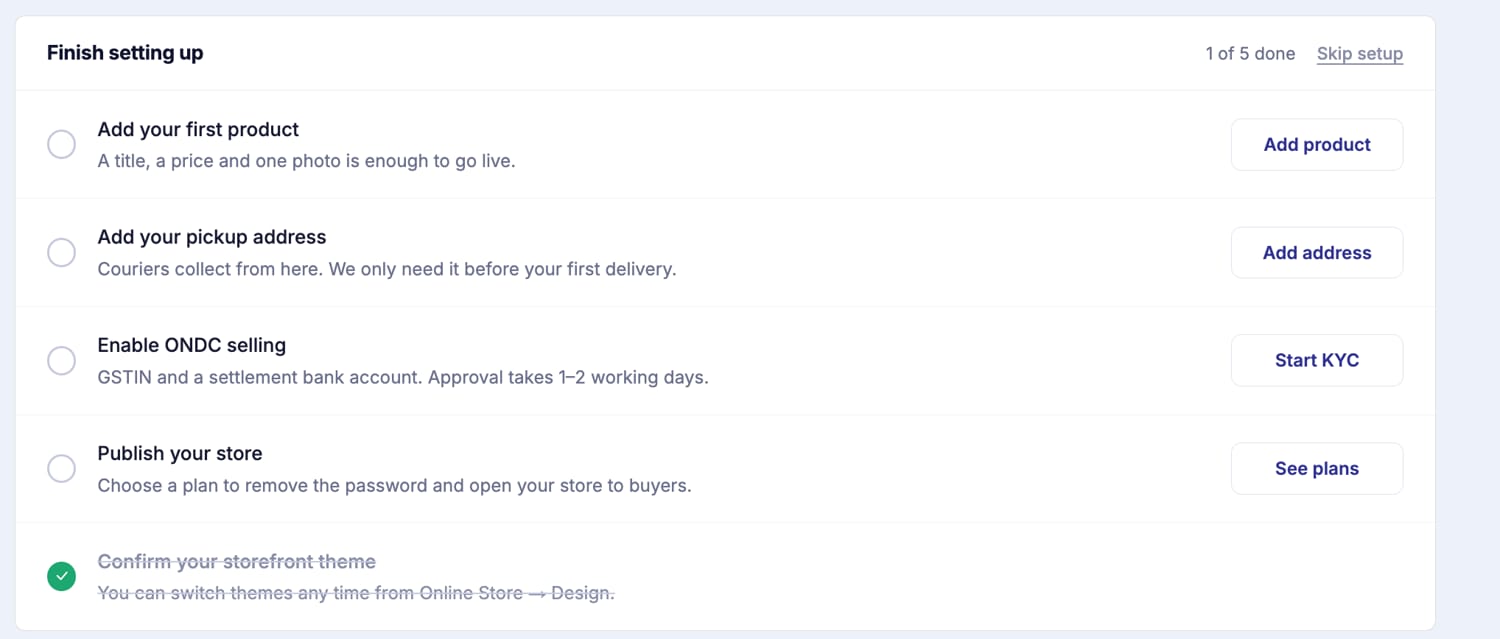
The Dashboard offers a real-time summary of key metrics like order status, revenue, and operational insights through graphical widgets and reports. It serves as a bird's-eye view of store performance, helping sellers track business health at a glance.

Left Navigation Panel

The left navigation bar on your seller dashboard contains links to various sections on the panel. For easy navigation, different related sections have been grouped into single parent section e.g. Products, Orders, Approvals, etc.

Products

Manage your catalog effortlessly in Products by adding, editing, or organizing items with variants, images, pricing, and SEO-friendly descriptions. The Products section also enables bulk uploads, inventory control, and product grouping for streamlined management.

Orders

Stay on top of your sales with Orders, where you can manage all customer orders including open, shipped, returned, or cancelled statuses. The Orders module lets you access order details, initiate fulfillment, print invoices, and perform bulk actions with ease.

Discounts

With the Pro Plan, you can boost your store’s reach using the Discounts feature, where you can run targeted promotional campaigns, manage coupons, and apply discounts to attract and retain customers, improve visibility, and drive more sales.

Approvals

Track and respond to product Approvals and resubmissions after rejection. Only these product-related approvals will be visible, ensuring your listings meet compliance and platform policies before going live.

Tickets

Handle customer support efficiently by raising and resolving support Tickets. This section also lets sellers track ticket status, reply to queries, and maintain communication with the support team.

Storefront

With Pro plan, customize the storefront design, homepage banners, menus, and domain settings from this section. Tailor your brand identity with editable templates and layout configurations.

Channels

Expand your reach with Channels, where you can integrate and sync your product listings from other marketplaces such as Shopify, Amazon, WooCommerce, and Magento. The Channels module also allows configuration of sales channels like POS and B2B portals from a single interface, enabling seamless omnichannel selling and inventory management.

Support

Find help easily with Support, where you can access FAQs, detailed documentation, or raise support requests. The Support module serves as your direct connection to the Mystore help team for technical and operational guidance.

Settings

Customize your store effortlessly with Settings, where you can configure tax rules, shipping providers, transactional email/SMS templates, Access keys and language preferences. The Settings module allows deep customization of your store’s core behavior.

Logs

Ensure transparency and easy tracking with Logs, where you can monitor detailed system logs and history for actions performed across modules. This includes files exported or imported from the Products section.

Reports

The Reports section allows sellers to access essential financial data, including Seller Payout Details and the Seller Settlement Report. These reports help you track your earnings, monitor settlements, and maintain transparency in transactions — enabling better financial management and informed decision-making.

Plans and Billing

The Plans and Billing, section allows sellers to view their Billing Overview, check Ledger Entries, and download Ledger Invoices. It provides a clear summary of your billing details, payouts, and transaction records, helping you keep track of all financial activities in one place.

Profile

Easily manage your business profile through Profile, where you can update certain account information such as First Name and Legal Name. Other details become non-editable once KYC is approved and can only be updated by the admin. The Seller module also centralizes profile settings, bank account details, pickup addresses, and ensures KYC compliance for smooth operations.

Seller Rating

The seller rating mechanism evaluates sellers based on order fulfilment, accurate listings, timely delivery, return handling, and customer satisfaction. The final rating is a weighted average of these metrics.

Status

Shows the current operational status of your seller panel. If there are any maintenance or connectivity issues, they will be reflected here.

Was this page helpful?