
The Shipping Rules
Shipping assignment rules help you control which shipping method is applied to an order based on specific conditions like location, order value, or product attributes. As a seller, this allows you to automate shipping selection and ensure accurate delivery options for your customers.
These rules are useful when you want different shipping methods for different scenarios. For example, you may want to apply express shipping for high-value orders, restrict certain shipping partners to specific locations, or assign special shipping for bulky products.
To access the shipping assignment rule, start by logging in to your Mystore Admin Panel and navigating to Shipping → Shipping Rules.
By default you can access the smart routing rule for all the subscription plans.
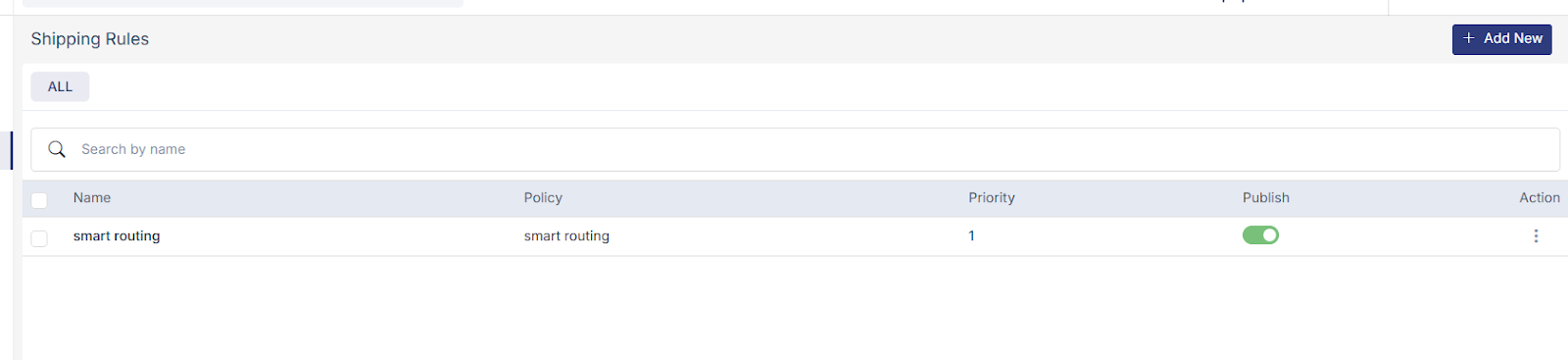
Smart routing policy: Smart Routing Policy ensures every order is shipped using the best possible courier automatically, without manual intervention. A Smart Routing Policy in Mystore is a feature that automatically selects the best courier partner for each order based on predefined rules and shipment details.
It helps you to auto-assign couriers without manual selection. Reduce delivery time by choosing the fastest available option. Optimize shipping costs by selecting the most cost-effective courier Ensure better delivery success based on destination, weight, and serviceability.
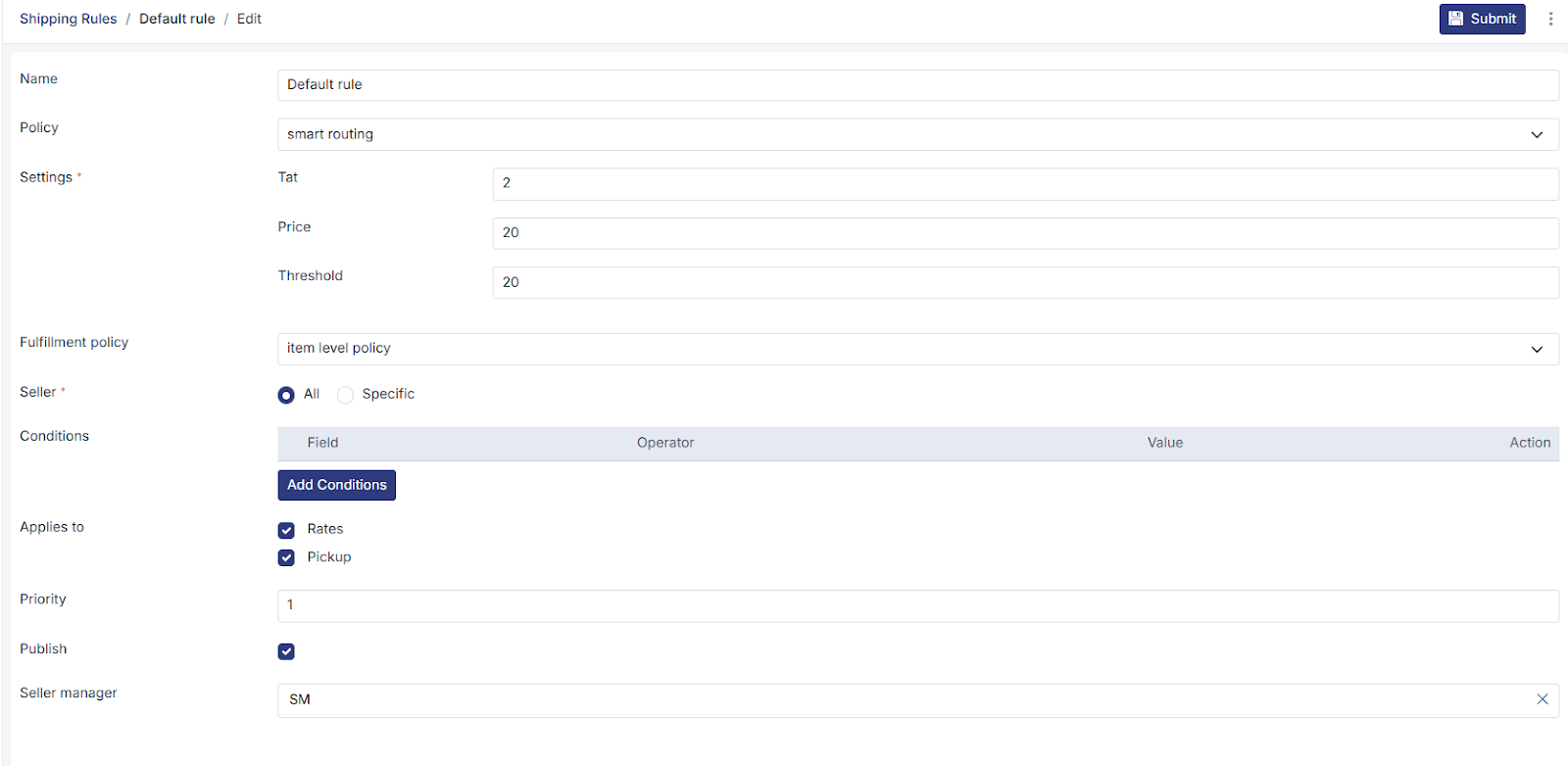
For example, if you ship a 1.2 kg order from Bangalore to Mumbai, Mystore compares available couriers and automatically chooses the one that offers the best balance of cost and delivery time.
Let's say you have 3 courier partners:
Service | Rate | TAT |
A | 100 | 5 |
B | 110 | 3 |
C | 130 | 2 |
Example scenario
A (₹100, 5 days) is the cheapest, but TAT is long
B is ≤20% more (₹110) and faster → ✅
- C is too expensive. → ❌
Result: Service B
“If there’s a service that’s a bit costlier (≤20% more) but faster than the cheapest, pick that. Otherwise, just pick the cheapest.”