
Update product listing in bulk
This guide explains how to update product listings in bulk for products fetched after channel integration in Mystore. By exporting the product file, updating required fields, and importing the file back, sellers can quickly update multiple products at once.
Step 1: Log in to the Admin Panel
Log in to your Mystore Admin Panel.
Navigate to the Products section.
Go to the Pending Approval tab where the migrated products are listed.
Step 2: Export Product Listing
Go to products and click on Export.
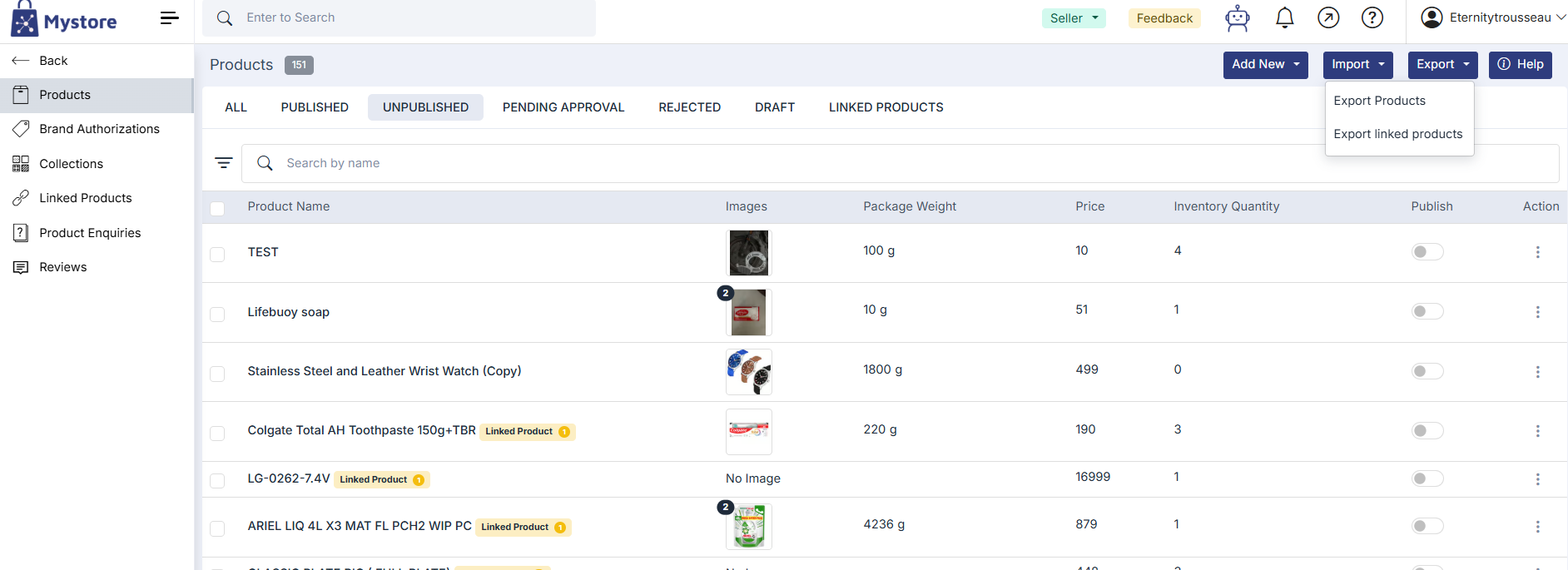
Select Export Products.
- A dialog box will appear.
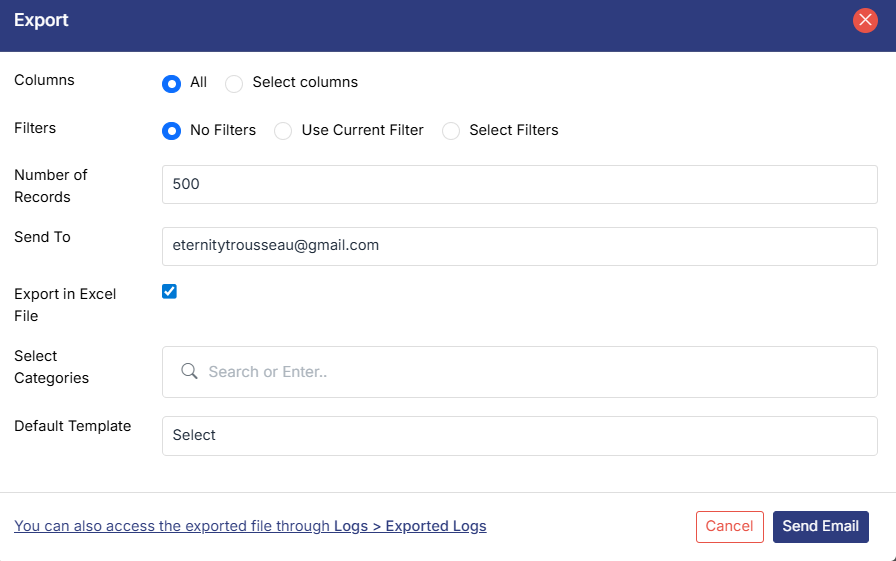
Click Use Current Filter to export only the filtered products.
Enter the number of records you want to export.
Select Export in Excel.
Enter your Email ID.
Click Send Email.
The product listing file will be sent to your registered email address.
Step 3: Download the Exported File
You can download the file in two ways:
Option 1: From Email
Check your registered email ID.
Download the attached product listing file.
Option 2: From Export Logs
Click the Notification icon in the admin dashboard.
Select View Export Logs.
You will be redirected to the Export Logs section.
Click View File to download the CSV file.
Step 4: Update the CSV File
Open the downloaded CSV file on your system.
Fill in all mandatory fields for each product.
Mandatory Fields
Ensure the following fields are filled correctly:
Price
Compare Price
Category
Package Weight
Inventory Quantity
Manufacturer or Packer Name
Manufacturer or Packer Address
Month and Year of Manufacturing or Packing
Common Name
HSN Code (8-digit)
Package Dimensions
Length
Width
Height
Some fields may already be auto-fetched, but verify that no mandatory fields are missing.
Additional Fields (Category-Based)
Depending on the product category or subcategory, the following fields may also be required:
Attributes
Brand
FSSAI Details
Nutritional Information
Additive Information
Allergen Information
After completing the required details, save the updated CSV file.
Step 5: Import the Updated File
Go back to the Products section in the Mystore Seller Admin.
Click Import in the top-right corner.
Select Import Product.
Upload the updated CSV file from your system.
Click Import.
The updated product data will be successfully uploaded to the system.