
Access Keys
The Access Keys module allows you to securely interact with your Mystore backend.Access Keys act like secure credentials — they authenticate and authorize external applications to perform actions such as syncing inventory, updating products, or fetching order details.
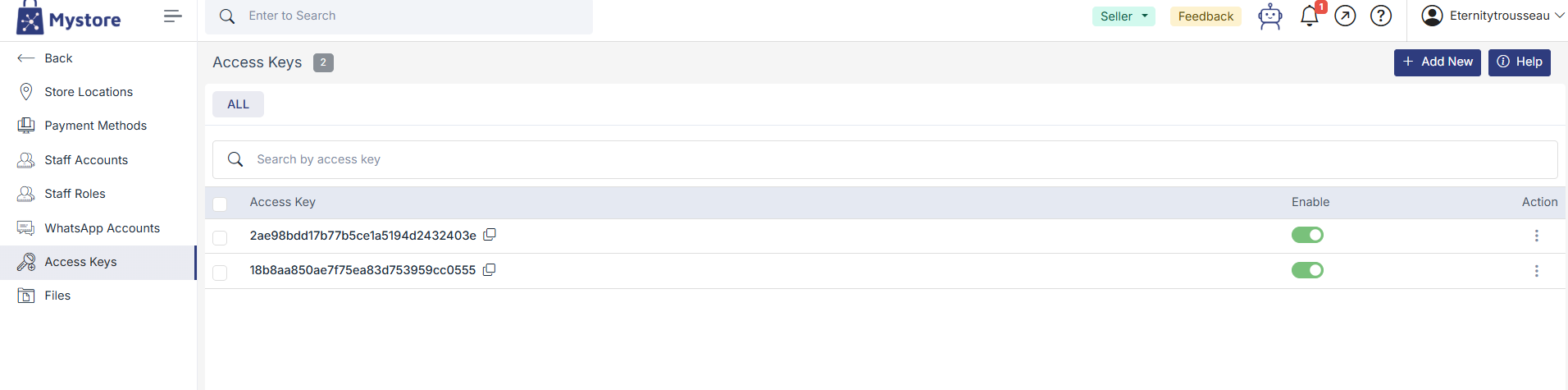
Steps to Generate an Access Key
- Navigate to Advanced Settings > Access Keys
- Click on the “Add New” button (top-right corner)
- On the Add Access Key screen (as shown in the screenshot):
- An Access Key will be auto-generated for you
- Tick the Enable checkbox to activate the key
- Click Submit to save the key
⚠️ Important: Treat access keys like passwords. Share them only with trusted developers or systems, and regenerate them if you suspect unauthorized use.
Was this page helpful?