
Add additional information in order
You can add additional information on the orders. To add additional orders go to order section, click on the ellipsis of the order then click on add additional information.
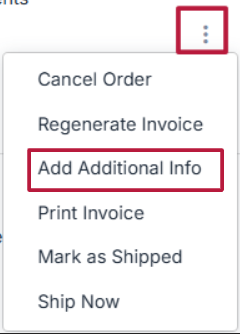
Add Order-Level Information
Enter details in the Order Info field. This information applies to the entire order
Example (Order Info):
- “Your order will be packed in eco-friendly packaging.”
- “Delivery will be attempted between 10 AM – 6 PM.”
- “Please check the items at the time of delivery.”
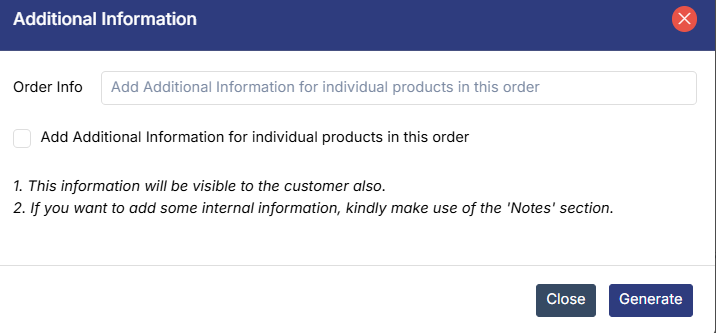
Add Product-Level Information (Optional)
Select “Add Additional Information for individual products in this order,” andAdd specific details for each product
Example (Product-Level Info):
- “This cake is eggless and best consumed within 24 hours.”
- “Customized name printed as requested by the customer.”
- “Handle with care -fragile item.”
Was this page helpful?