
Affiliate Dashboard
The Affiliate Dashboard in Mystore helps you track and manage your affiliate performance in one place. It gives you clear visibility into how your shared links and campaigns are performing and how much commission you’ve earned.
Accessing the Dashboard
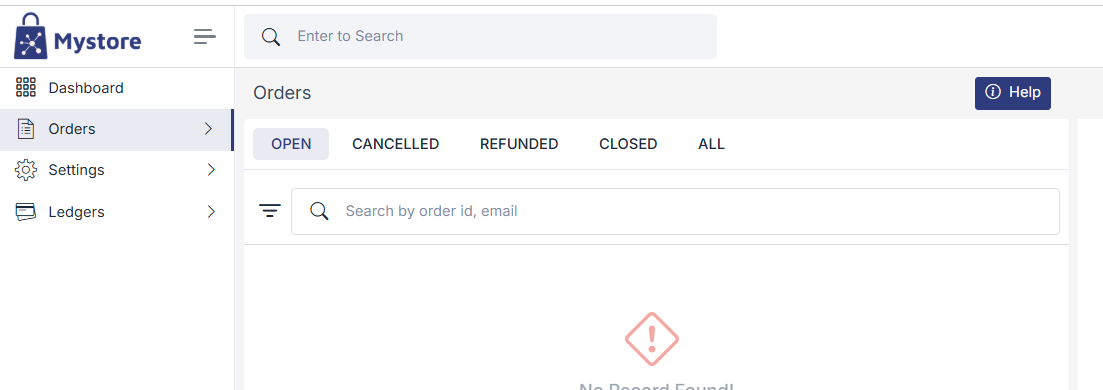
Log in to Mystore and switch your role to Affiliate. You will see the following dashboard.
Orders Overview
The Orders section shows all purchases made using your affiliate link or QR code.
- Open : Orders in progress
- Cancelled : Cancelled orders
- Refunded: Refunded orders
- Closed: Successfully completed orders (eligible for commission)
- All : All affiliate orders
Search Orders
Use the search bar to find orders using Order ID or customer email.

Commission Tracking
- Commission is credited only for Closed orders
- Rates are set by Mystore admins
- Earnings are updated automatically after order completion
Settings
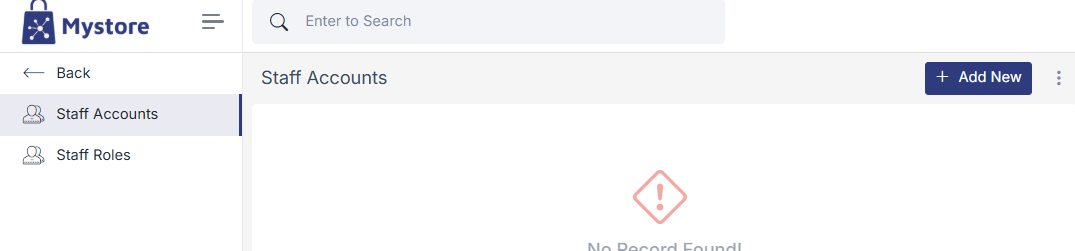
The Settings section in the Affiliate Dashboard allows you to manage your team and control access securely.
Staff Account Management
In this section you can Add staff members to help manage affiliate activities. Provide access without sharing your main login credentials. View and manage all added staff accounts from one place.
Role Management
Assign specific roles to staff based on their responsibilities. Control what each role can view or manage (for example: orders, reports, or settings).
Ledger & Payouts
Go to Ledgers to view commission credits and payout details.