
Cancelling an Order/Fulfillment
If a pickup does not happen within 48–72 hours, you can cancel the shipment. If the fulfillment is already cancelled, you can recreate a new shipping label.
Follow the steps below to cancel a fulfillment.
How to Cancel a Fulfilment?
- Go to the Orders section in your dashboard.
- Open the order for which the pickup has not happened.
- Click on the Fulfillment ID or click the Cancel Shipment button.
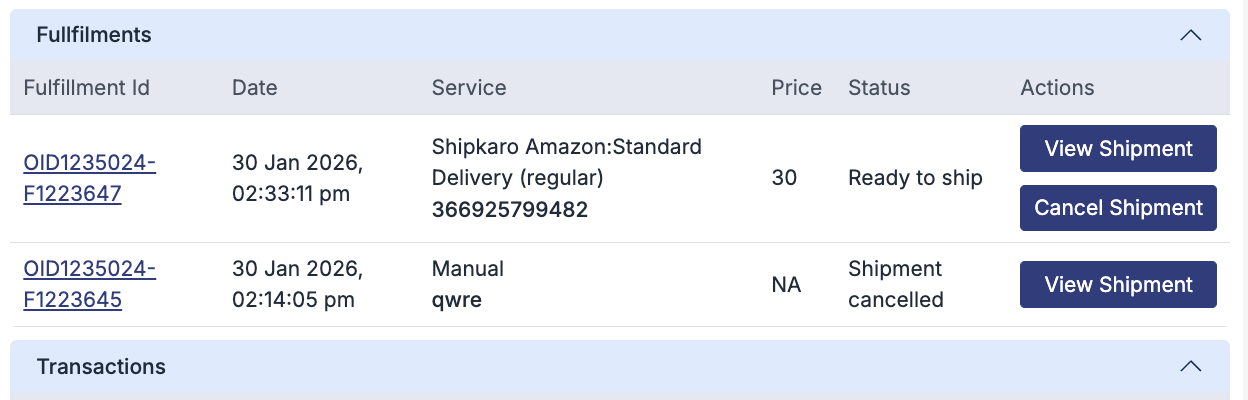
- A pop-up window will appear.
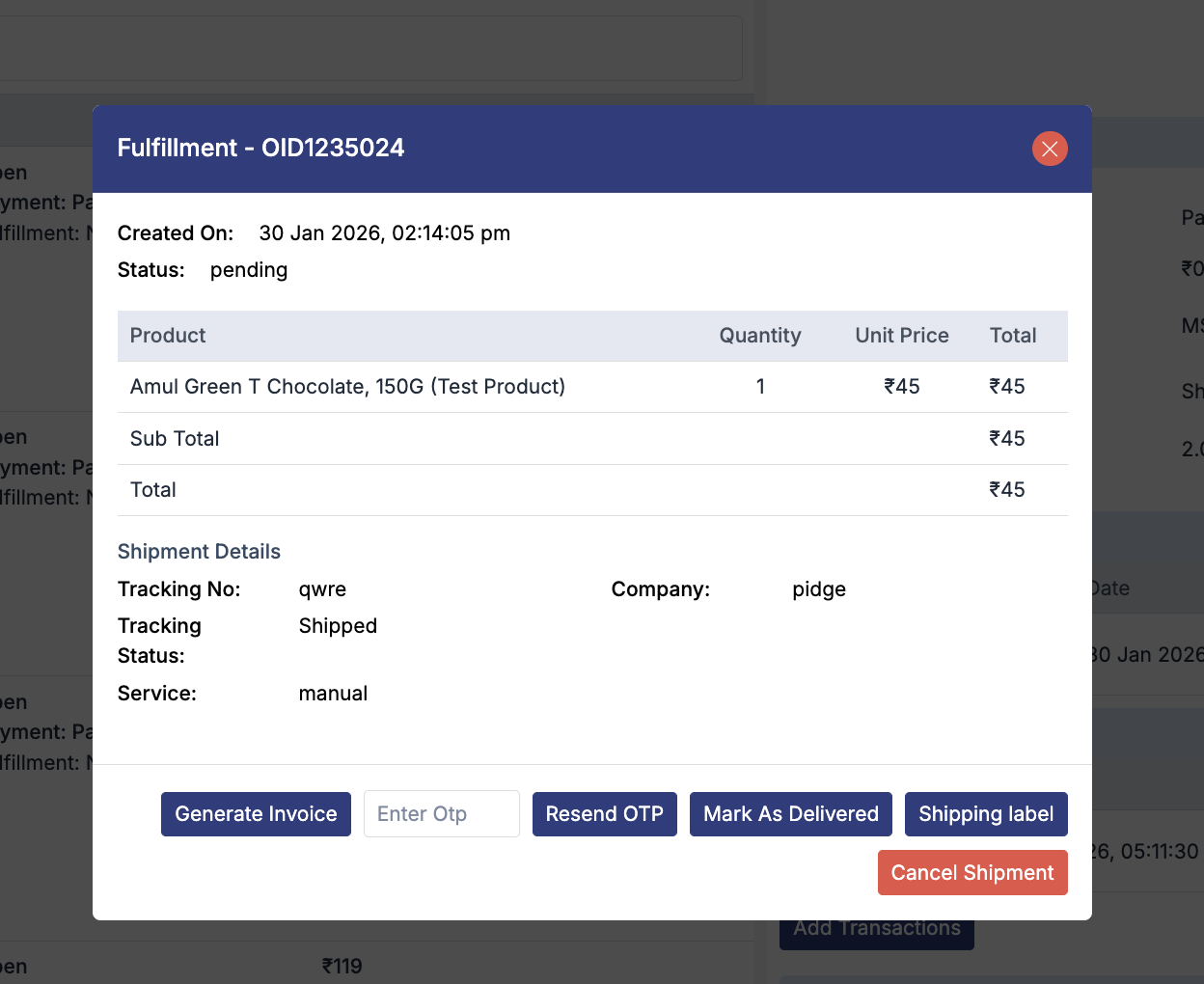
- Click on Cancel Shipment.
- Select the appropriate reason for cancellation.
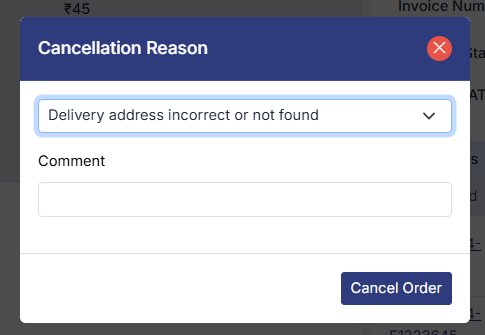
- Confirm the action to cancel the shipment.
Note: Cancelling a fulfillment means only the shipment/pickup is cancelled.
The order remains in an open state.
What Happens After Cancelling the Fulfillment?
The pickup request is cancelled. The order status remains open. You can recreate a new shipping label and reschedule the pickup if required.
Was this page helpful?