
How to Connect Merchant Center with Google Ads
Linking your Google Merchant Center account to Google Ads is what allows your product data to flow into your ad campaigns, so you can run Shopping ads and promote your products across Google. This guide walks Mystore sellers through connecting the two accounts step by step. You only need to do this once per account.
Step-by-Step Setup Guide
Before you begin, make sure you have both a Google Ads account and a Google Merchant Center account, and that you are signed in to Google Ads with an account that manages the Merchant Center you want to link.
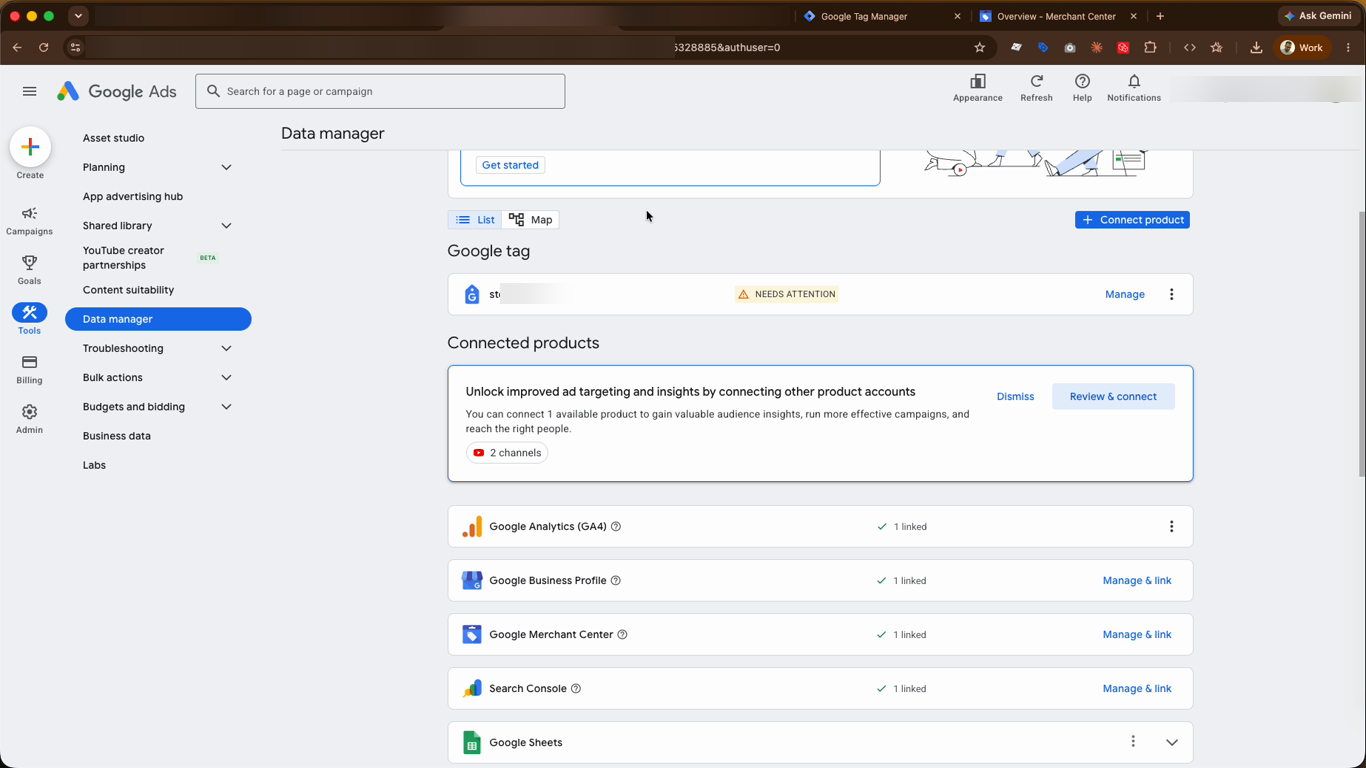
- In your Google Ads account, click Tools in the left-hand menu, then open Data manager. Under the Connected products tab, locate Google Merchant Center and click Manage & link.
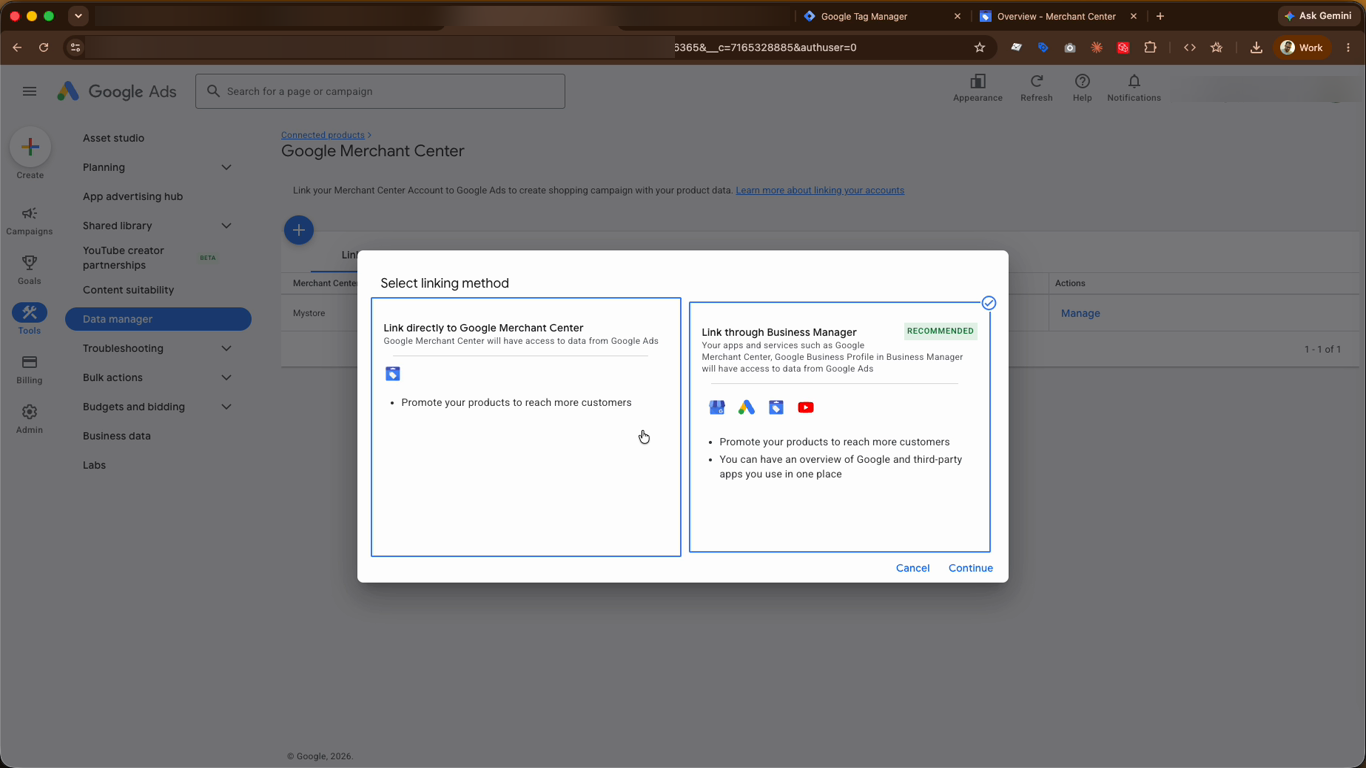
- Choose your linking method. You can link directly to Google Merchant Center, or link through Business Manager — the recommended option, which keeps all your connected apps and services in one place. Select an option and click Continue.
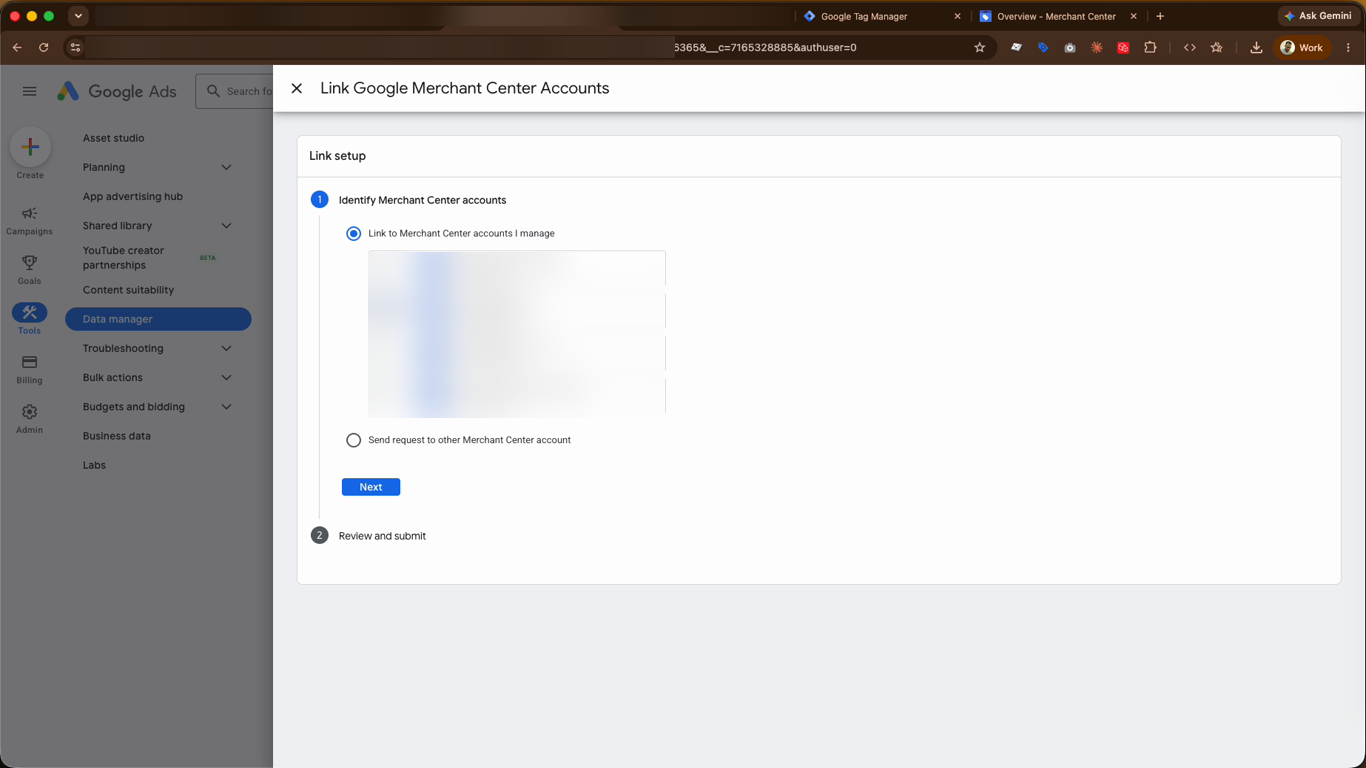
- Under Identify Merchant Center accounts, choose Link to Merchant Center accounts I manage, then tick the checkbox next to the Merchant Center account you want to connect. Click Next, then review and submit your request.
- Back under Connected products, your Google Merchant Center will now show as Linked. This confirms the connection was successful.
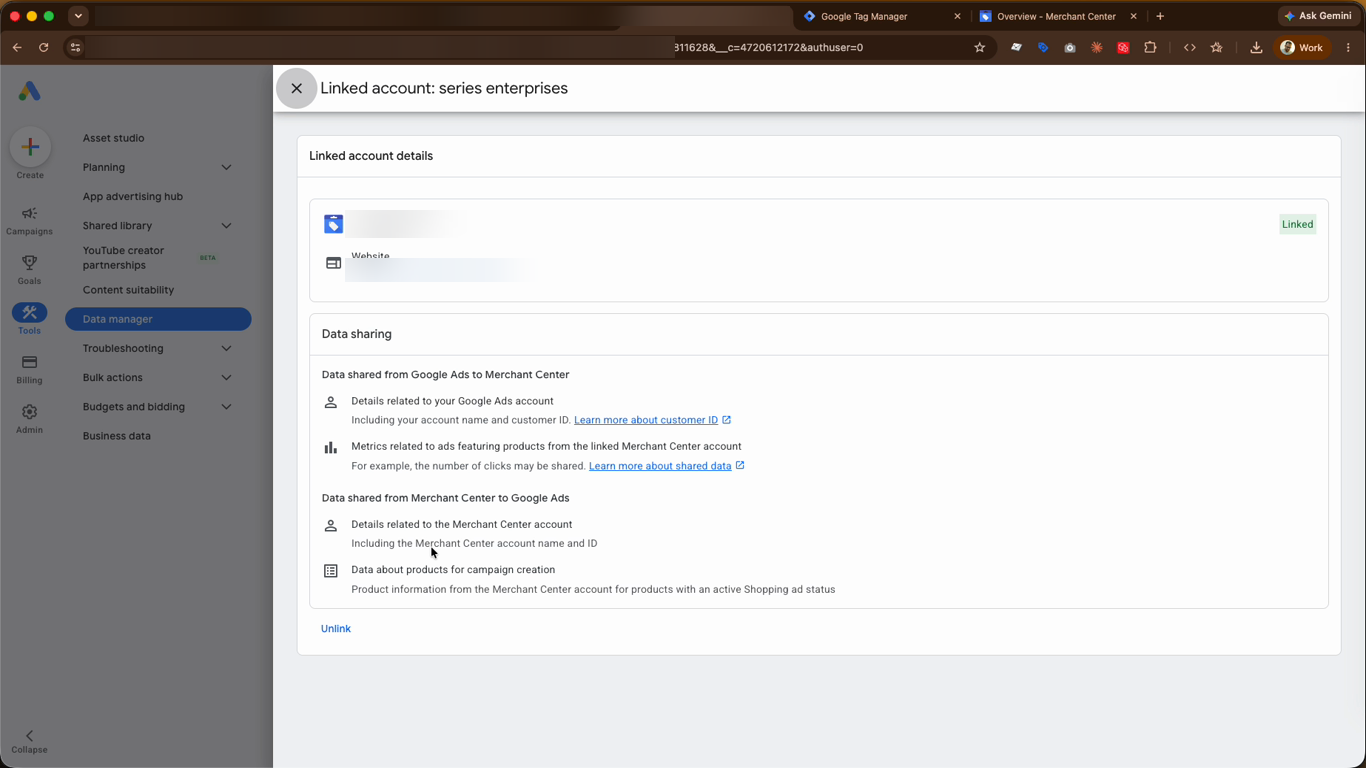
- To review the connection, open the linked account details. Here you can confirm the status is Linked and see exactly what data is shared between Google Ads and Merchant Center. You can also Unlink the accounts from this screen if ever needed.
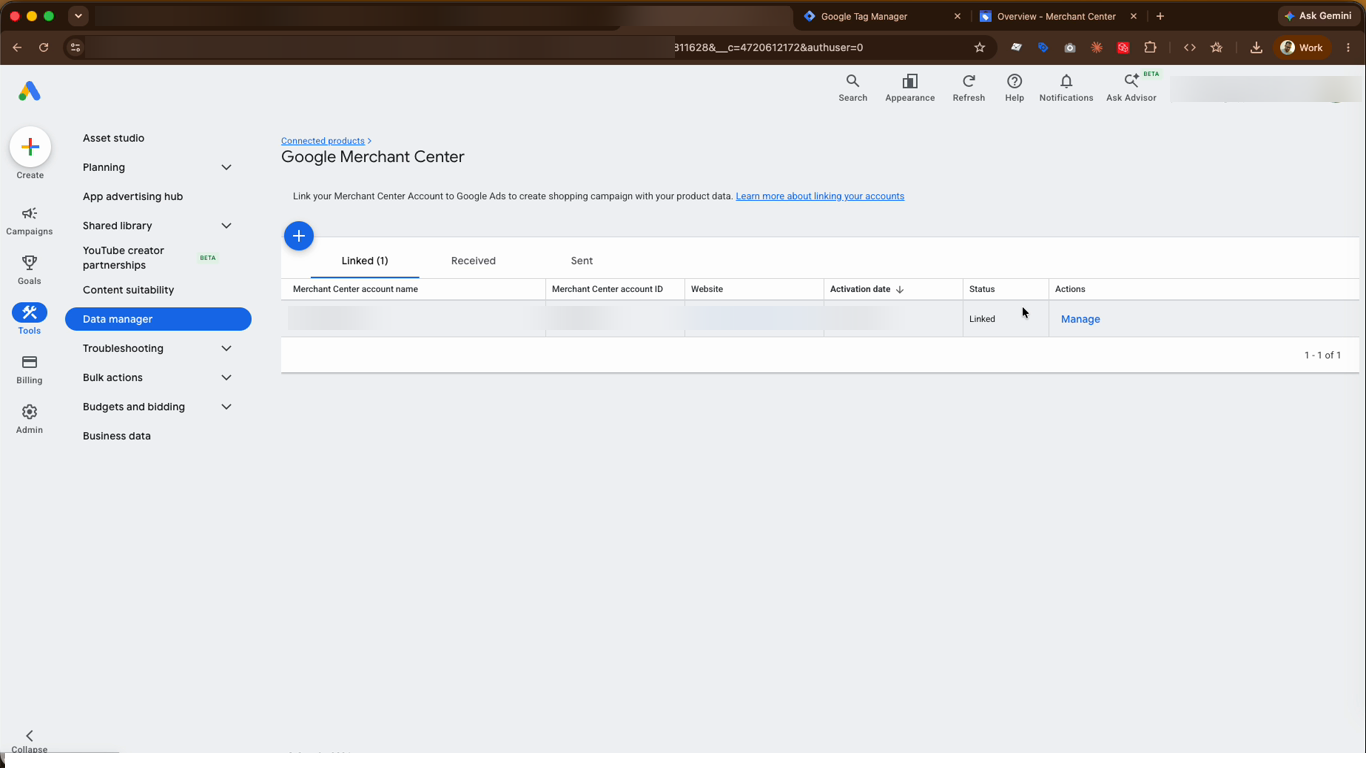
This is the final step. Once your accounts are linked, your product data will start syncing automatically, and your products will be available to use in Shopping campaigns within a few hours.
Video Guide
Was this page helpful?