
How to Create a Facebook Account
A Facebook account is the foundation of your Meta advertising setup - you need one before you can access Ads Manager, Business Manager, or run any Meta campaigns. Creating a personal Facebook account is free and quick, requiring only a name, date of birth, and a valid email address. Use your business email during signup so the account can later be connected to your business portfolio.
Step-by-Step Setup Guide
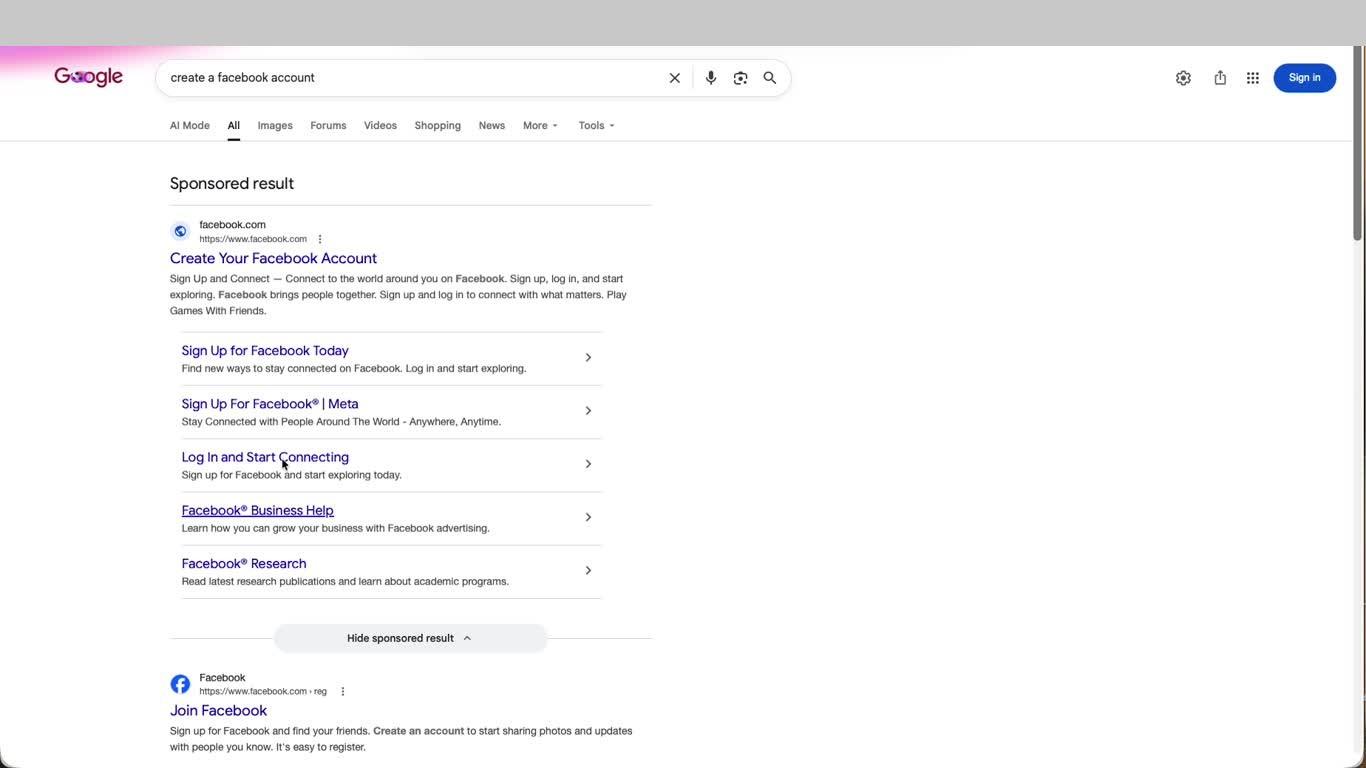
- Open your browser, search for Create a Facebook Account on Google, and click the first result to open facebook.com.
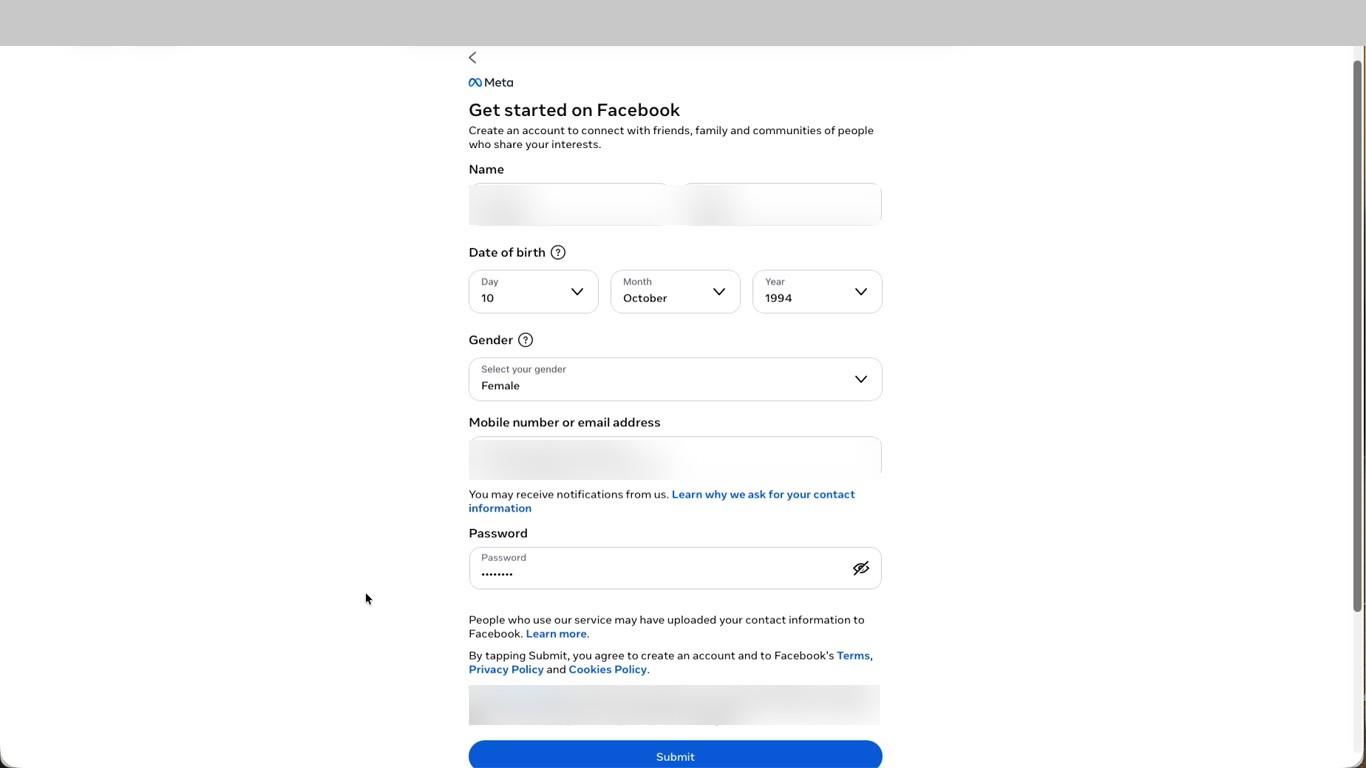
- On the Get started on Facebook page, enter your First name and Surname. Facebook requires your real name as people know you.
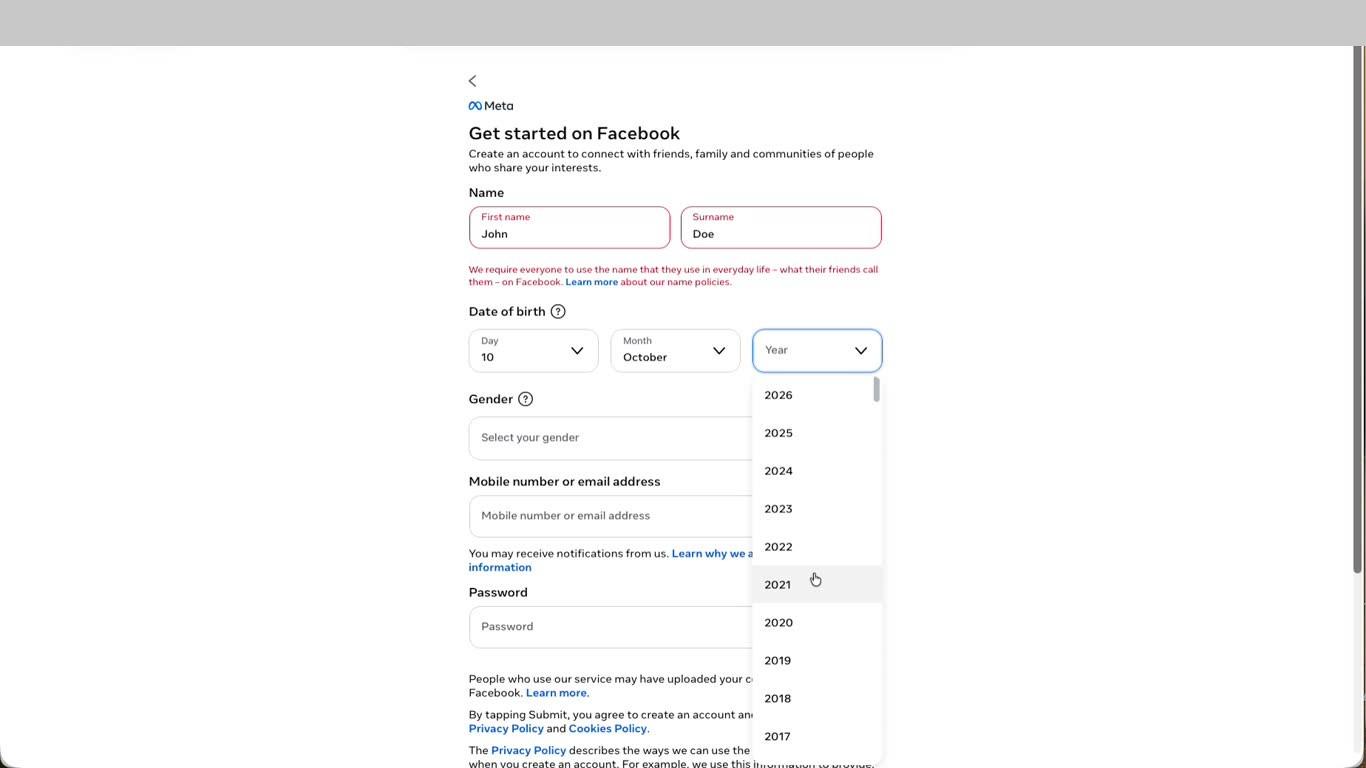
- Select your Date of birth using the Day, Month, and Year dropdowns, then select your Gender from the dropdown.
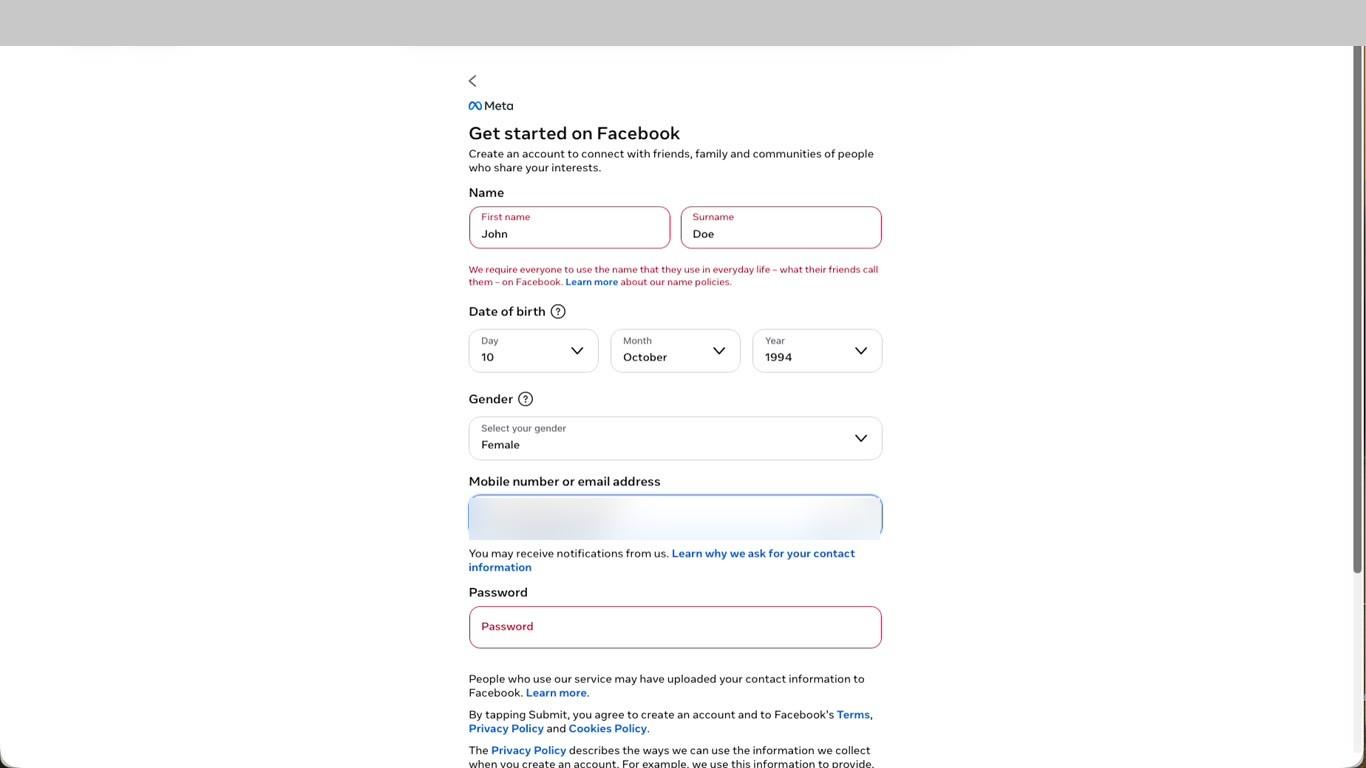
- Enter your business email address, set a strong Password, and click Submit. By submitting you agree to Facebook's Terms and Privacy Policy.
- Facebook sends a 5-digit confirmation code to your email. Open your inbox, find the Facebook email, enter the code on the confirmation screen, and click Continue.
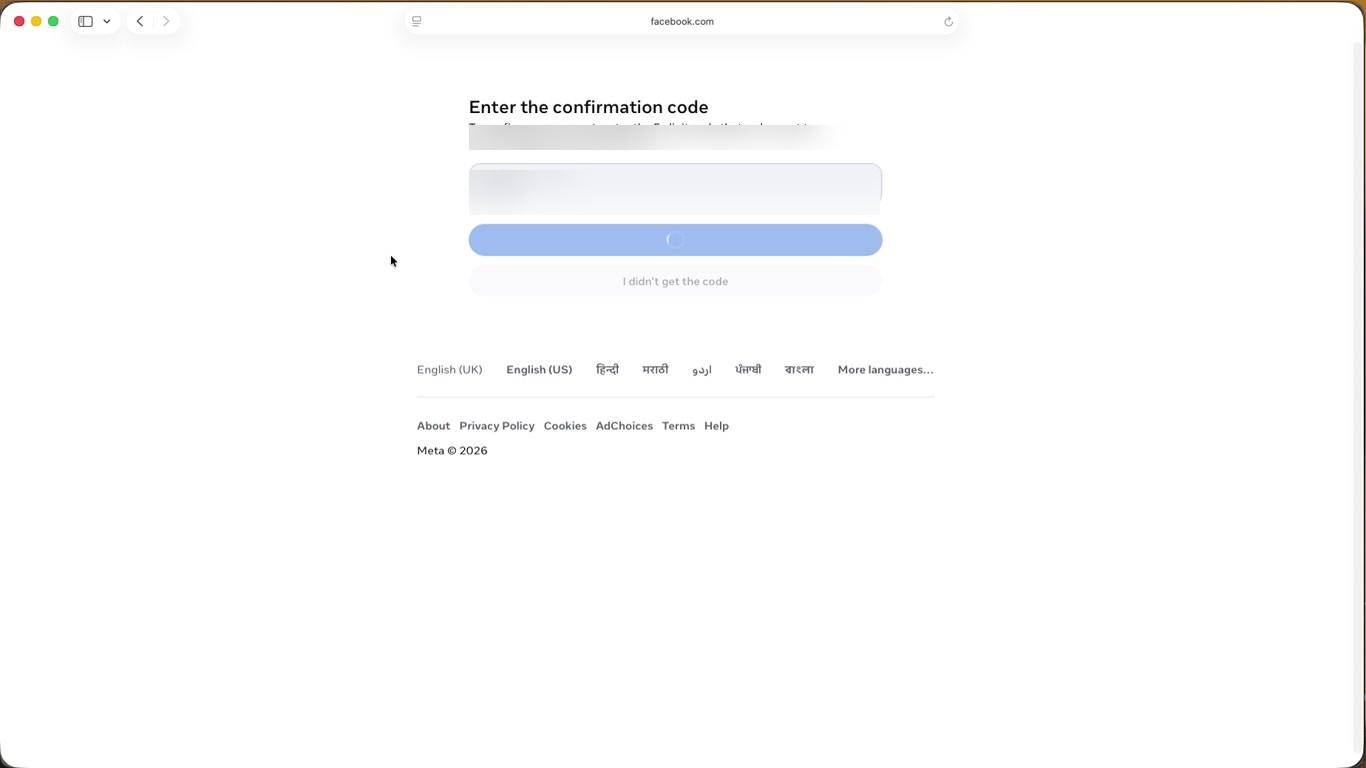
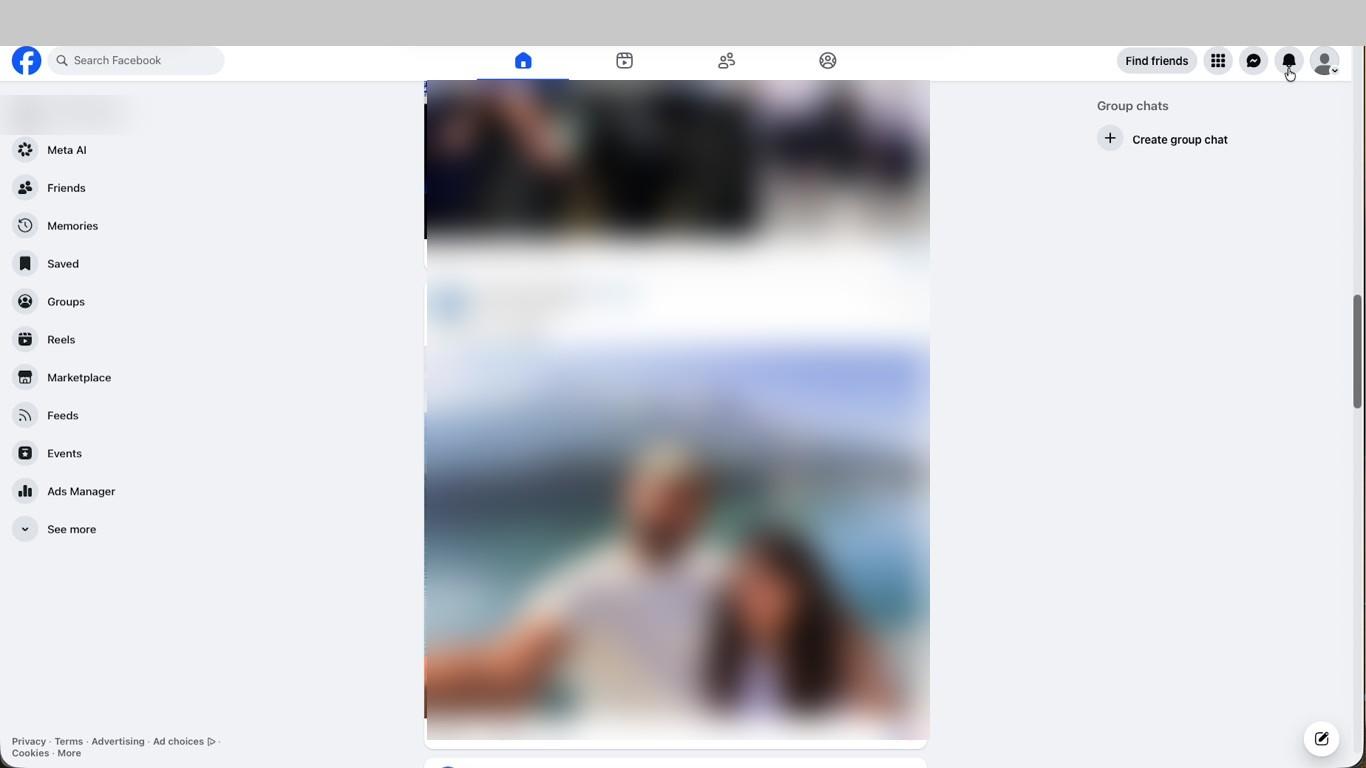
- Once verified your Facebook home feed loads and your account is live. You will see Ads Manager in the left navigation - the starting point for Meta advertising.
This is the final step. Once your Facebook account is created and verified, you are ready to set up Meta Ads Manager and begin building your advertising presence on Meta platforms.
Video Guide
Was this page helpful?