
Setup Domain in GoDaddy
If your domain is registered on GoDaddy, follow these steps to point it to Mystore:
- Log into your GoDaddy Account.
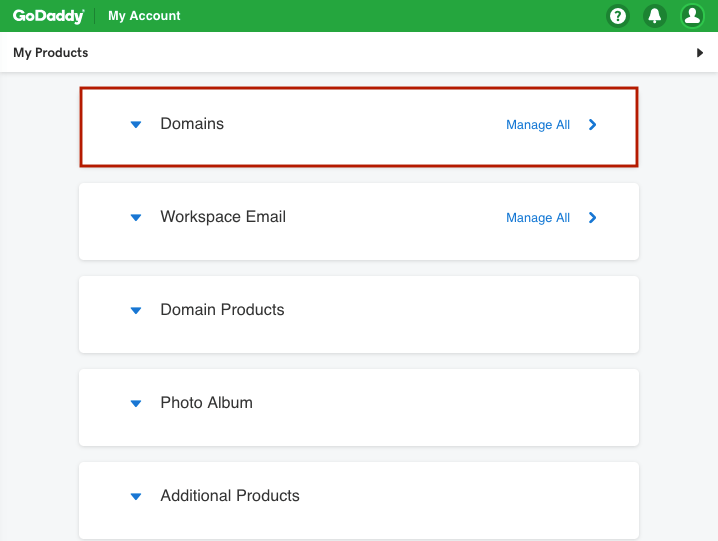
- Click on Domains on your GoDaddy Dashboard.
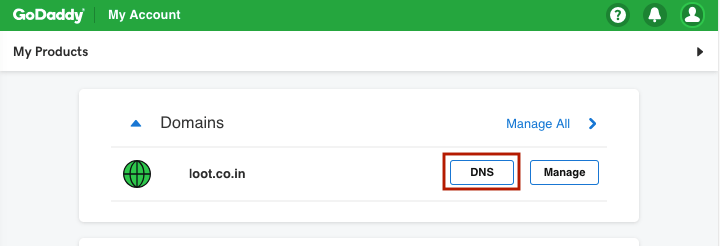
- For the domain that you want to manage, click on Manage DNS button under the Action section.
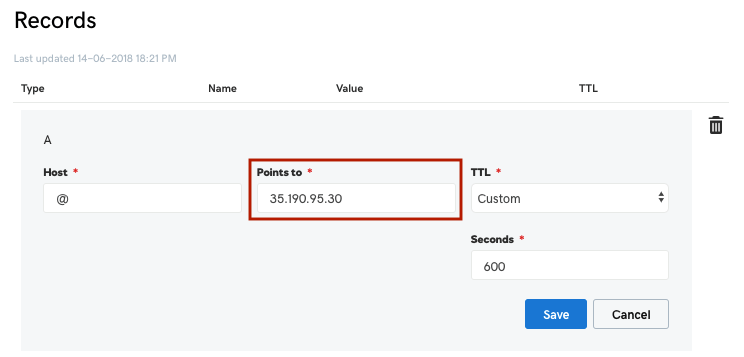
- Point your top-level domain (example.com) to the Mystore Redirect Server:
35.190.95.30
This ensures the non-www domain redirects to the www version.
- Add a CNAME record for your www domain (e.g.,www.example.com) and point it to your Mystore URL (e.g., example.mystore.in).
Fill in the fields as follows:
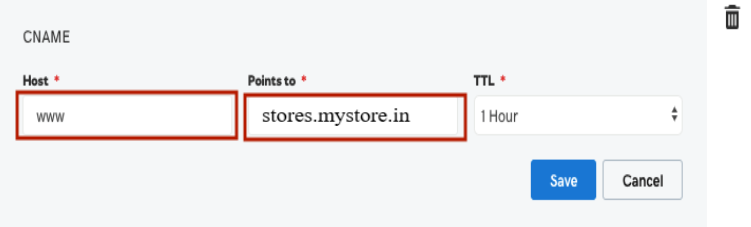
Host: Enter the subdomain name for the alias assignment. For example, type www.
Points to: Enter the hostname you want the alias to point to. For example, type stores.mystore.in
- Click Save.
If you see the message "Oops! Domain is not added to the store" when checking your live URL, go to Domains in your Mystore admin and add your domain without www.
Important Notes
- If DNS records for the top-level domain and the www subdomain already exist, edit them instead of creating new ones.
- DNS changes can take up to 48 hours to fully update.
- Add the CNAME record first because, on some providers, adding other DNS records may override it due to a higher priority.
- Always add your domain in the Mystore admin without www.
Was this page helpful?