
Unicommerce Integration
Mystore provides support for integration with Unicommerce. By integrating Unicommerce, you will be able to manage inventory and orders.
Integrating Unicommerce
You can integrate your store with Unicommerce very easily and integration is automated by Mystore. Integrating a Unicommerce channel with your store is a three steps procedure, viz adding sellers, getting the seller's access key, and accessing the Unicommerce panel.
Integrating your store with Unicommerce
You can integrate your store with Unicommerce on the Uniware dashboard. To integrate your store with Unicommerce, follow the steps mentioned below:
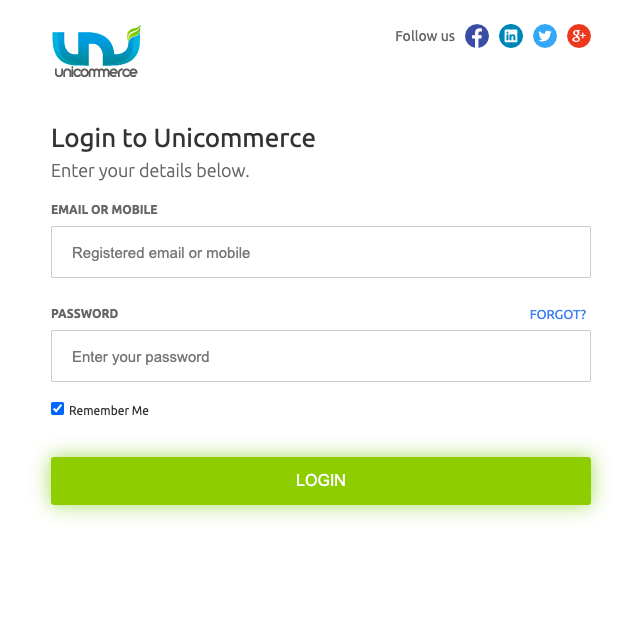
- Login to your Unicommerce account.
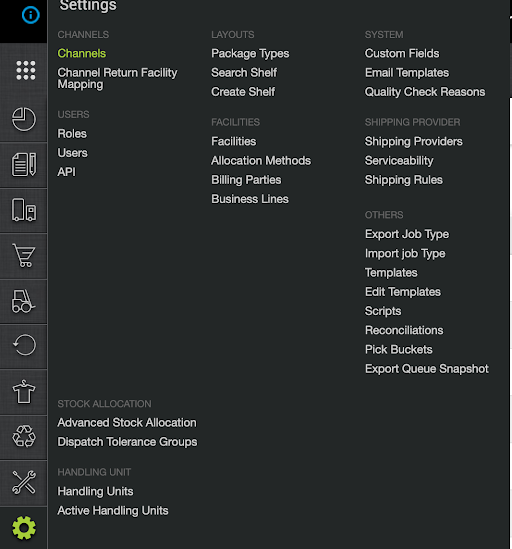
- In the Uniware dashboard, click the Settings icon and select the Channels option.
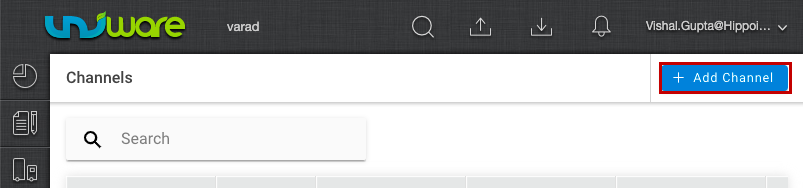
- Click the Add Channel button.
- Now, the page will open up containing the list of available channels.
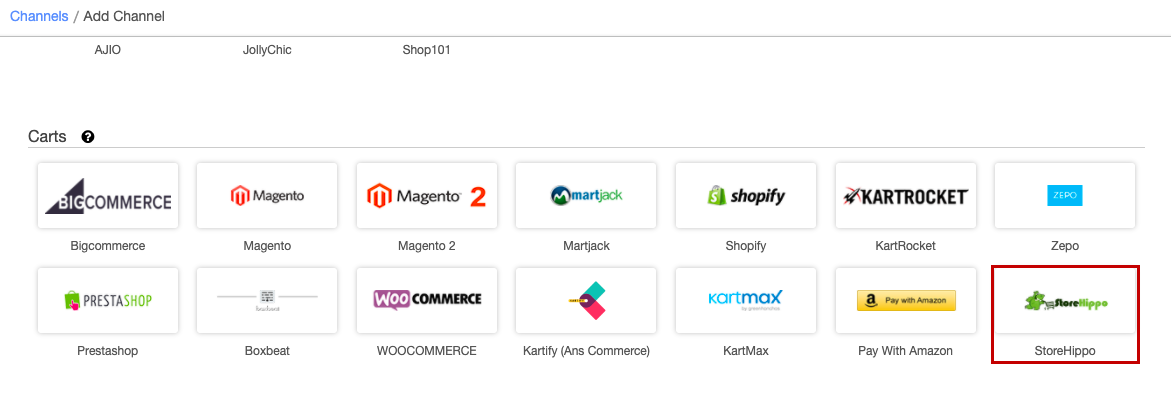
- Under the Carts section, find and select the StoreHippo. You can search for it also in the search bar.
- When you click on it, a new page will open.
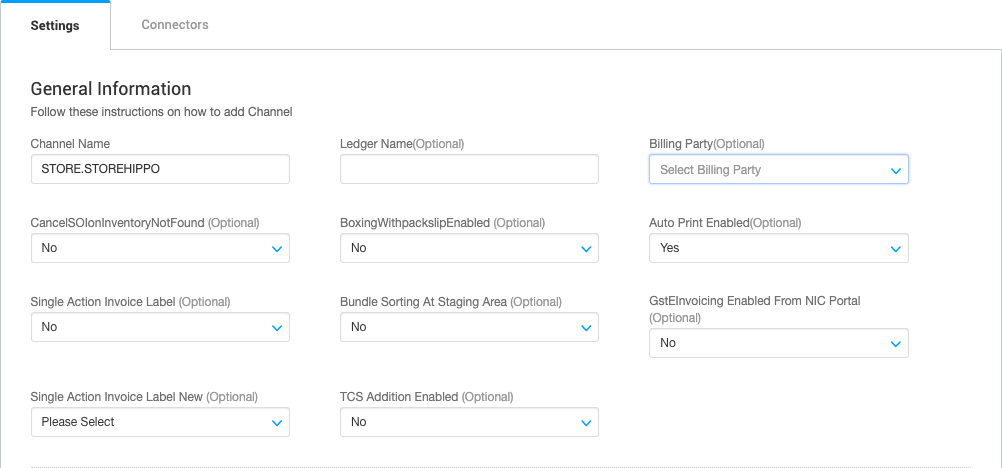
- Provide the details and select the appropriate option as per the settings configured in your store.
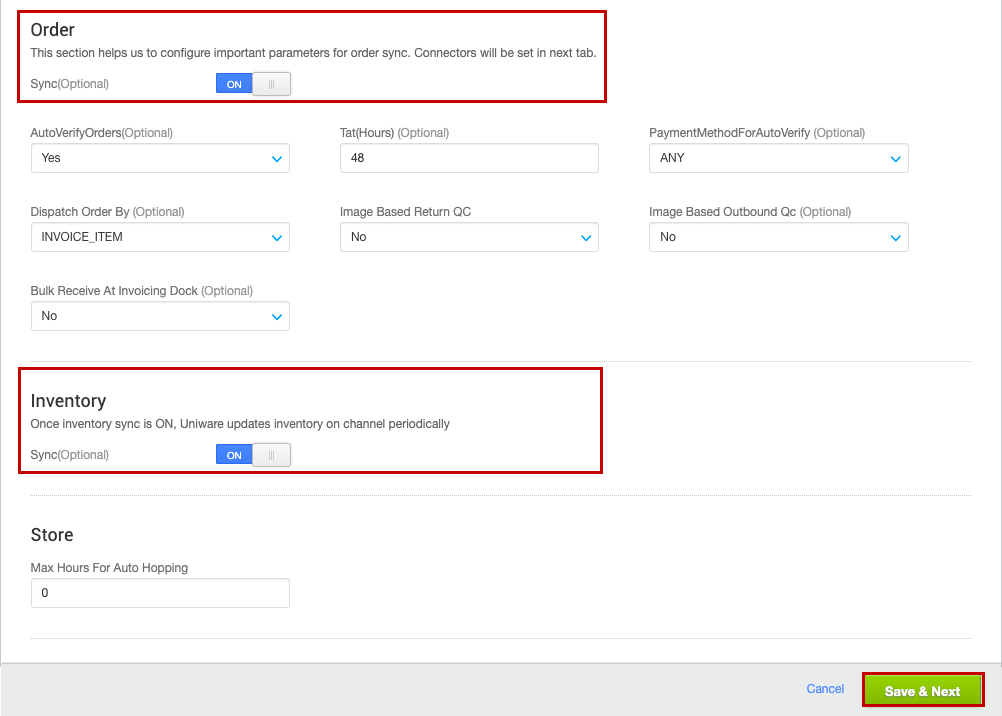
- In the Order and Inventory section, enable the Sync option if required. If you enable this option, orders and inventories will be synced respectively.
- Select the ORDER_ITEM option in the Dispatch Order By” field under the Order section.
- Provide the other details as per the settings configured in your store.
- Click the Save & Next button to proceed to configure connectors.
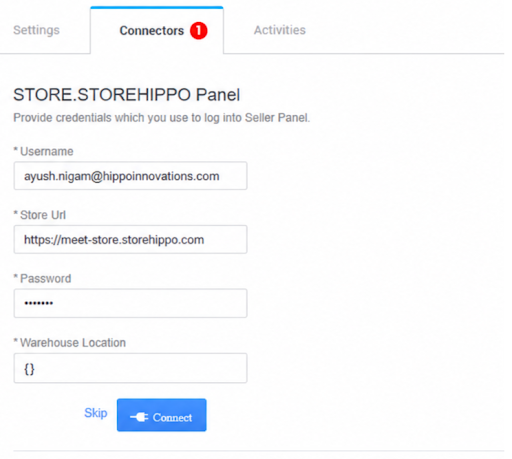
- In the Username field, enter the registered email ID ( which was used while adding seller on Mystore panel )of the seller.
- Provide the store link ( {storename}.Mystore.com/unicommerce) in the Store Url field.
- In the Password field, enter the password ( which was used while adding seller on Mystore panel )associated with the selected seller.
- In the Warehouse Location field , enter {} .
- Click the Connect button.
Note: Click here to know more about channel setting parameters and general information about all the parameters.
Now, the connectors will be configured in Uniware. As soon as the channel is configured successfully, you can see the channel summary, and you can trigger the respective sync processes from this page itself.