
Off Network (Manual/Own Shipping)
Off Network or Manual Shipping refers to the process where the seller handles all shipping tasks independently, outside the ONDC-integrated logistics system. In this setup, sellers are responsible for booking their own courier service, generating shipping labels, and manually updating order tracking details on the Mystore platform. This method offers flexibility in choosing delivery partners but requires the seller to manage logistics, pickups, and delivery communication directly with the courier. It's important to ensure timely updates and accurate information to avoid order delays or fulfillment issues.
Steps to ship orders Off Network
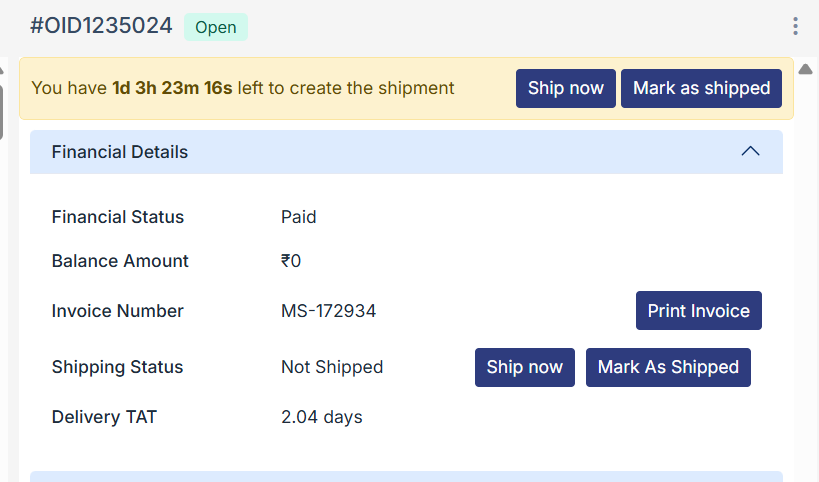
When you are using your own non-integrated logistics service partner, you need to click on “mark as shipped” from order details. You can use the same function of shipping from the top ribbon or the financial details section.
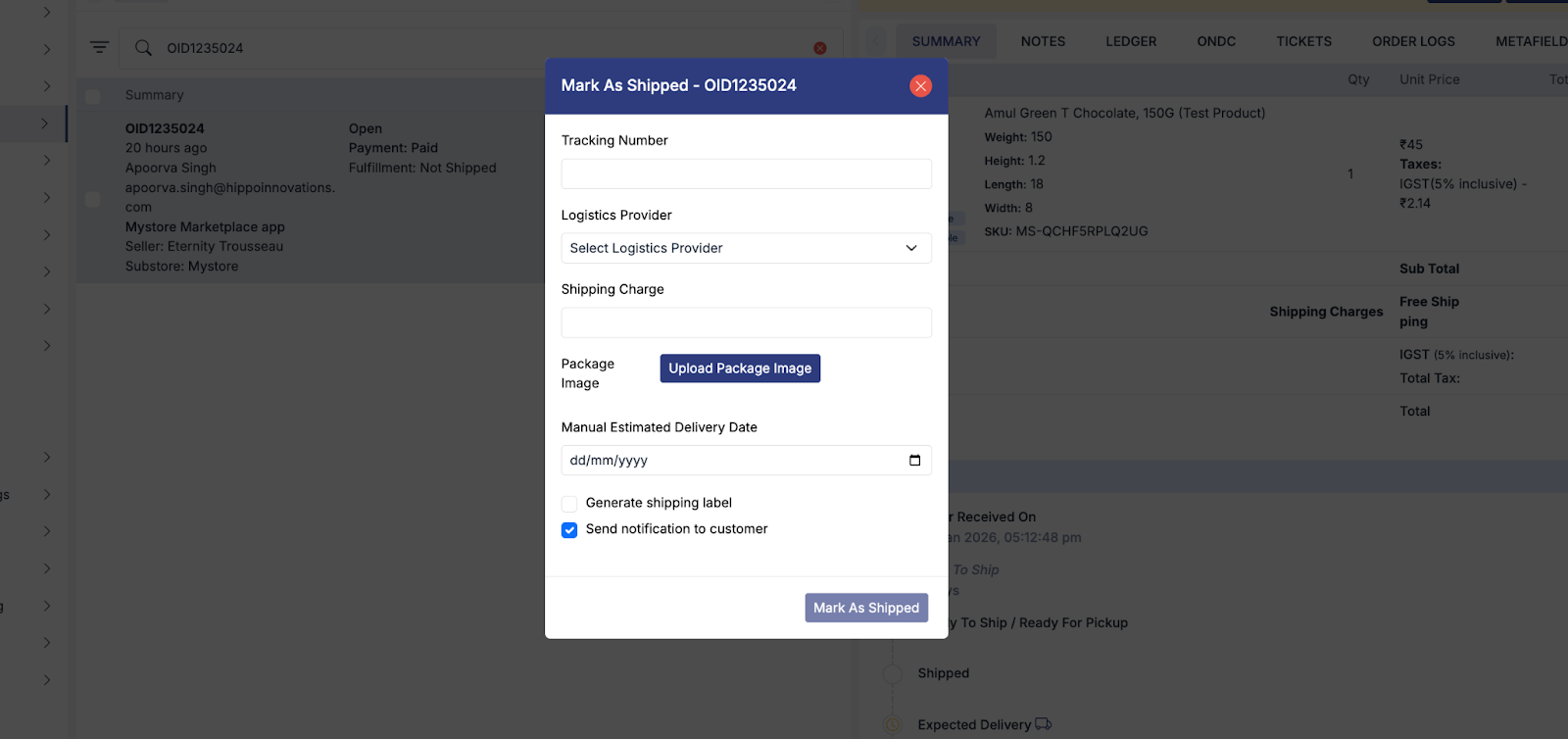
You will find the below pop-up on your screen, where you need to enter all the relevant details of the shipment
Enter the Tracking Number (AWB).
Select the Logistics Provider from the list.
If the provider is not listed, choose Other and enter the name manually.
Add the actual shipping charges.
Upload the package image (outbox or product content while packing).
Enter the Manual Estimated Delivery Date as provided by the logistics partner.
This date will be shared with the customer so they are informed of the updated delivery timeline.
If you require the shipping label for the entered AWB, select the checkbox.
You will then be prompted to choose the shipping address, after which the Download Shipping Label option will be enabled.
Ensure the checkbox “Send Notification to Customer” is always selected.
Finally, click “Mark as Shipped.”
- Once the order is delivered, you need to update the status by going to the respective order and then clicking on “Mark As Delivered.”
Note: In case manual delivery OTP verification is on, then you would need to collect the OTP from the customer. You can also choose to skip the OTP step by raising the support ticket from your account.