
Regenerate Invoice
Once an invoice is generated for an order, and you want to make changes to the active invoice or regenerate the invoice for cancelled orders, you can regenerate the invoice by using the 'Regenerate Invoice' option so that you can view your changes.
How to Regenerate Invoice?
Either click on the vertical ellipsis icon; there you will get the 'Regenerate Invoice' option, or click on the order ID to open the order details in the right panel; there you can click on the ellipsis icon to get this option.
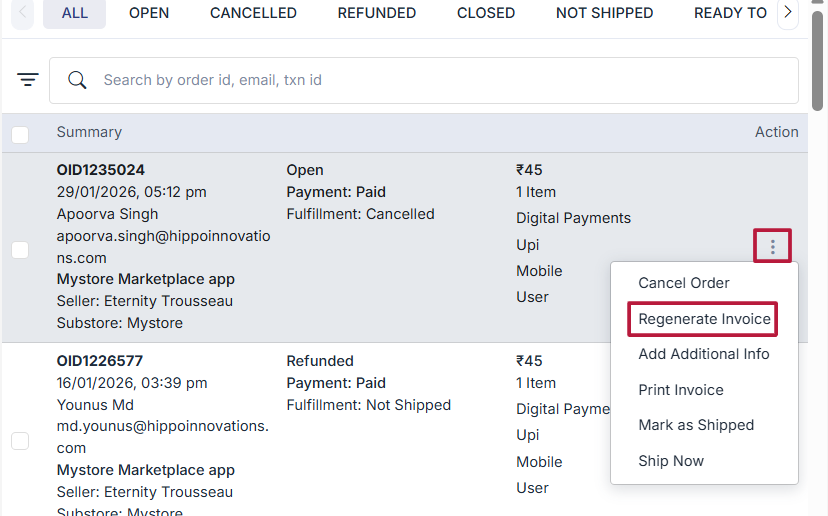
Clicking on this option will open a dialog box showing the preview of the invoice. You can choose whether you want to send this regenerated invoice to the customer. Click on the Regenerate button to regenerate the invoice.
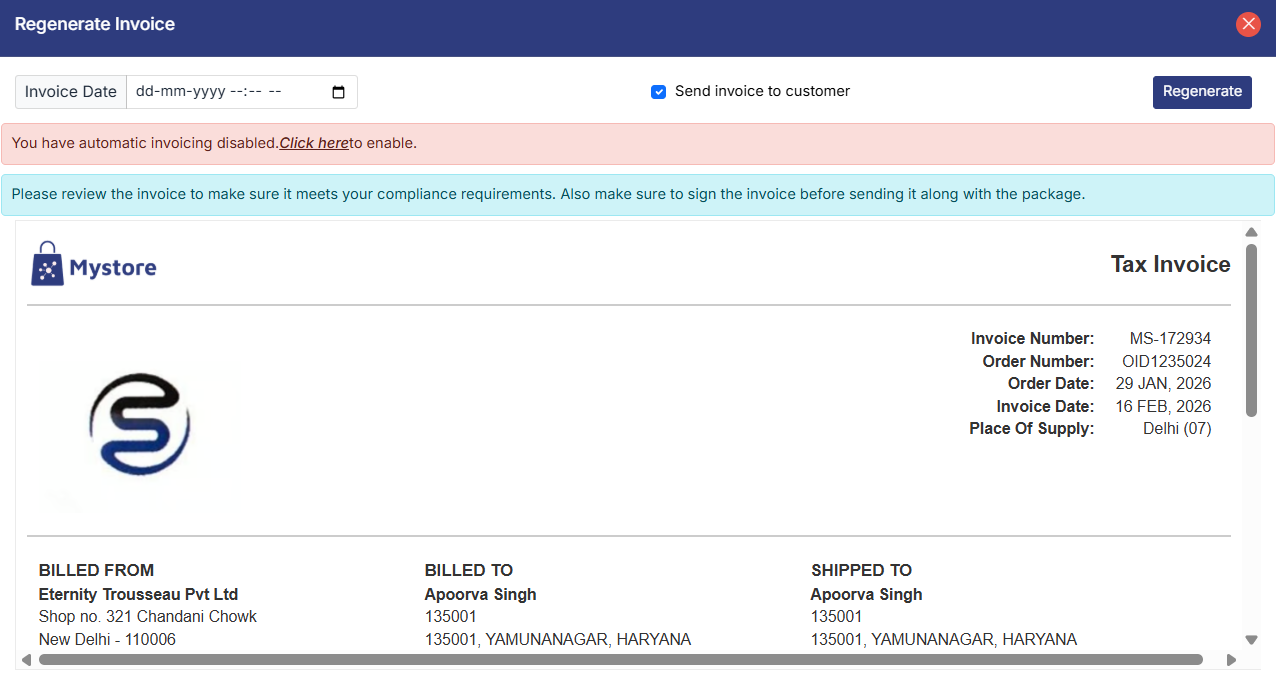
Custom Invoice Date – Regenerate Invoice
The Custom Invoice Date option allows you to regenerate an invoice with a different invoice date and time, without affecting the original order details. click on Invoice date and select the date and time you want to have in the invoice.
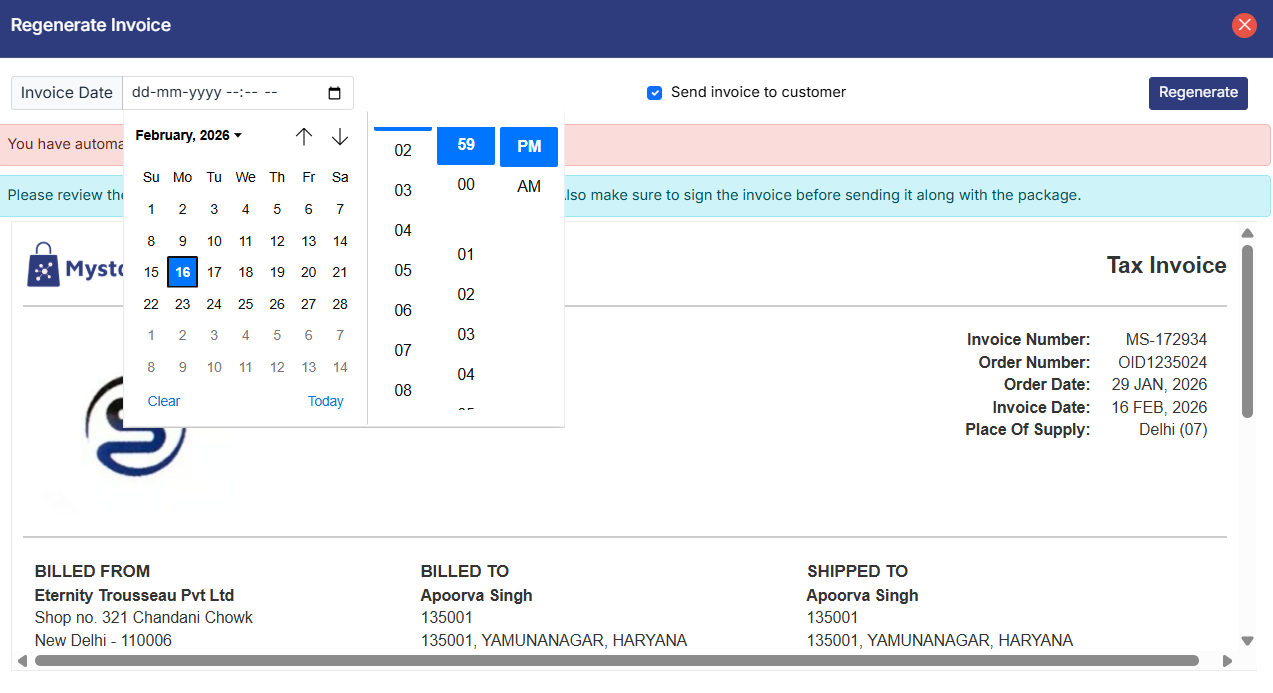
Note: You can Edit the invoice number only while generating the invoice.