
Setting up RazorPay as the Payment Gateway
Mystore has integrated the API of RazorPay payment gateway. Once the account with RazorPay is created, you need to follow the steps mentioned below to add RazorPay as the payment gateway in your store.
Stepts to generate keys in Razorpay
- Login with the credentials in the RazorPay.
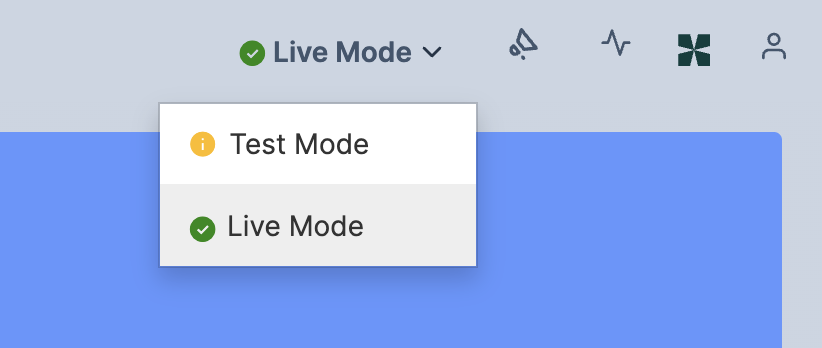
- Then choose the Live Mode from the drop-down on the top-right side of the dashboard.
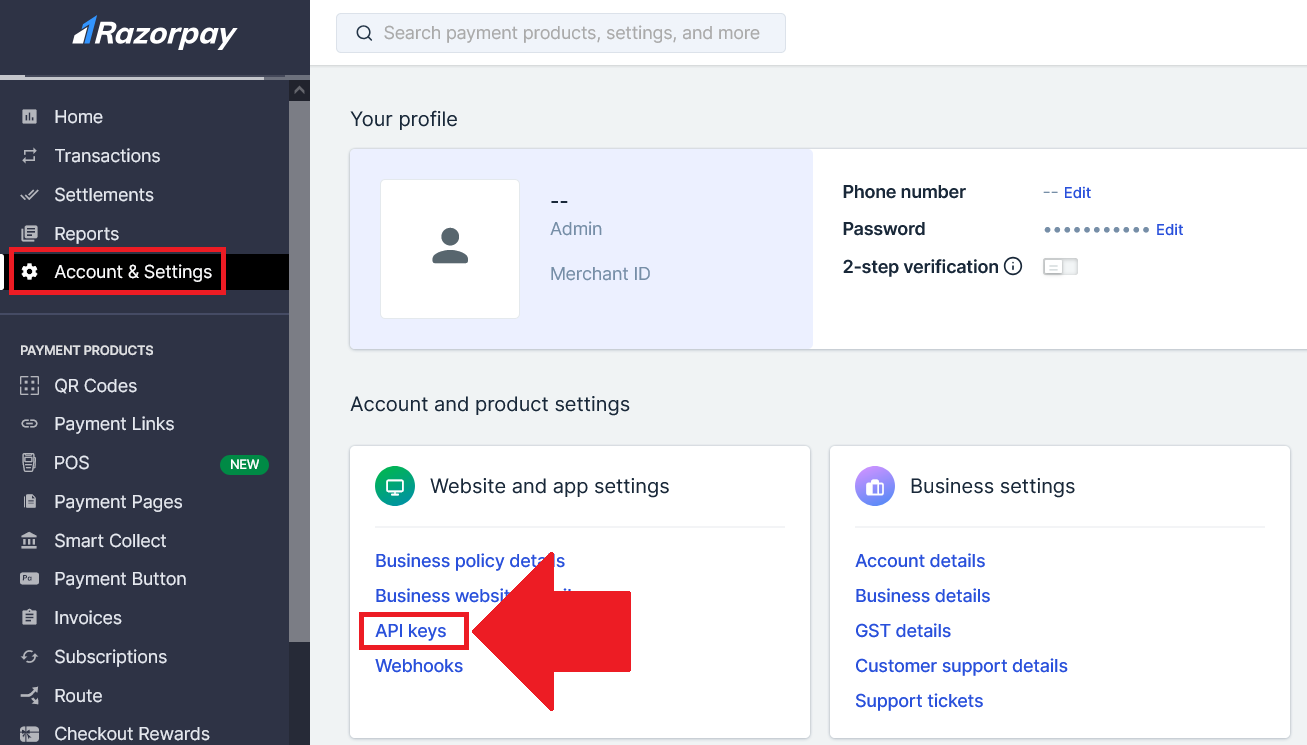
- Navigate to Account & Settings and Click on API Keys (under Website and App Settings)
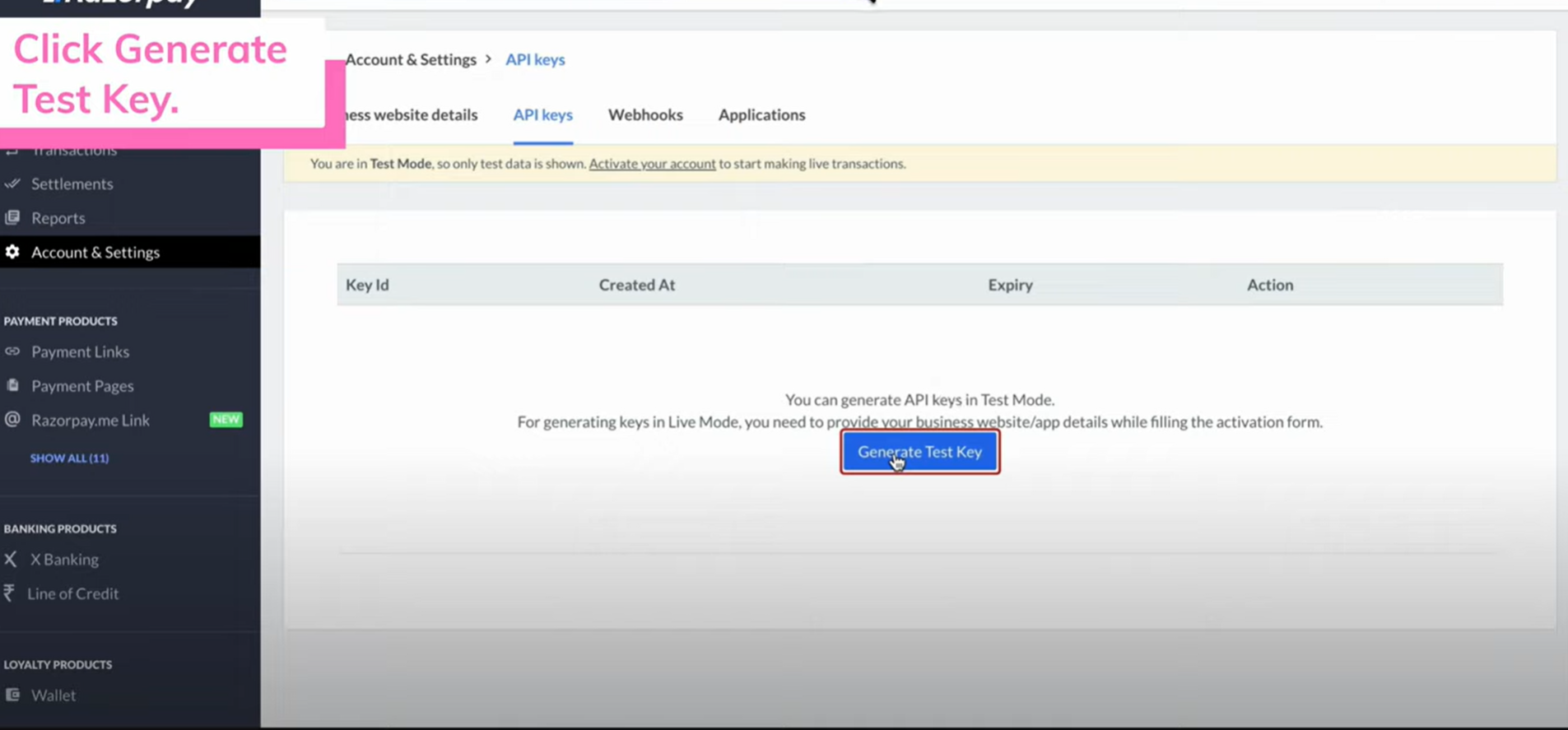
- Generate Key to generate key
 .
. - Copy and save the Key Id and Key Secret.
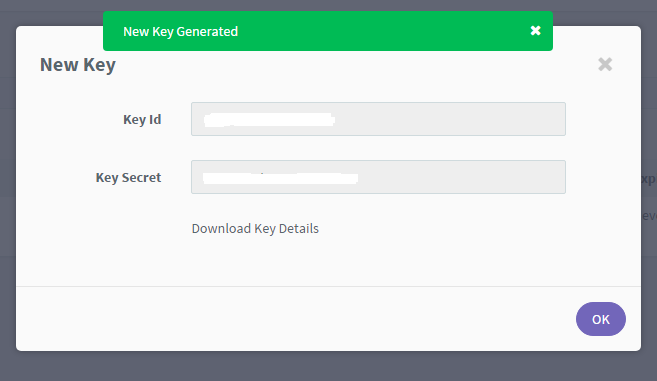
Integratiation of Razorpay in Mystore
After generating keys from Razorpay go to mystore seller dashboard navigate to Channels> Payment channels.
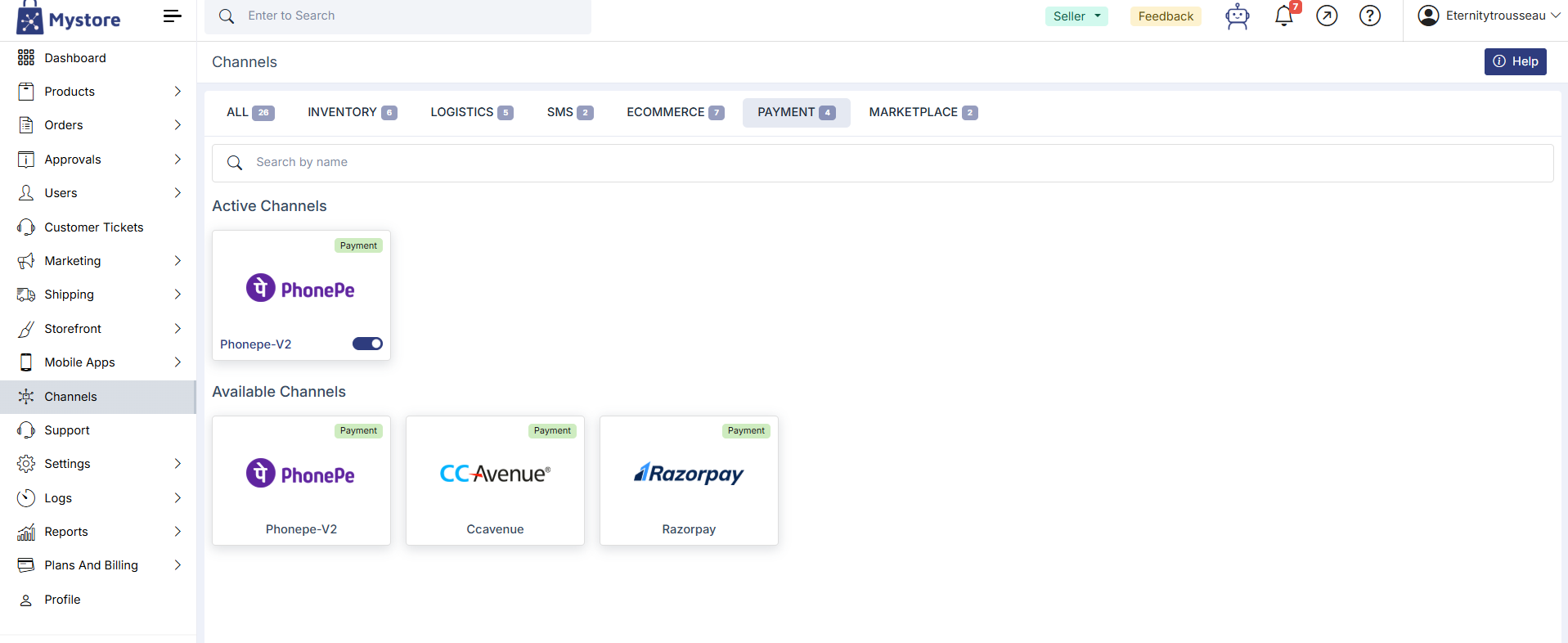
Click on razor pay and fill the details.
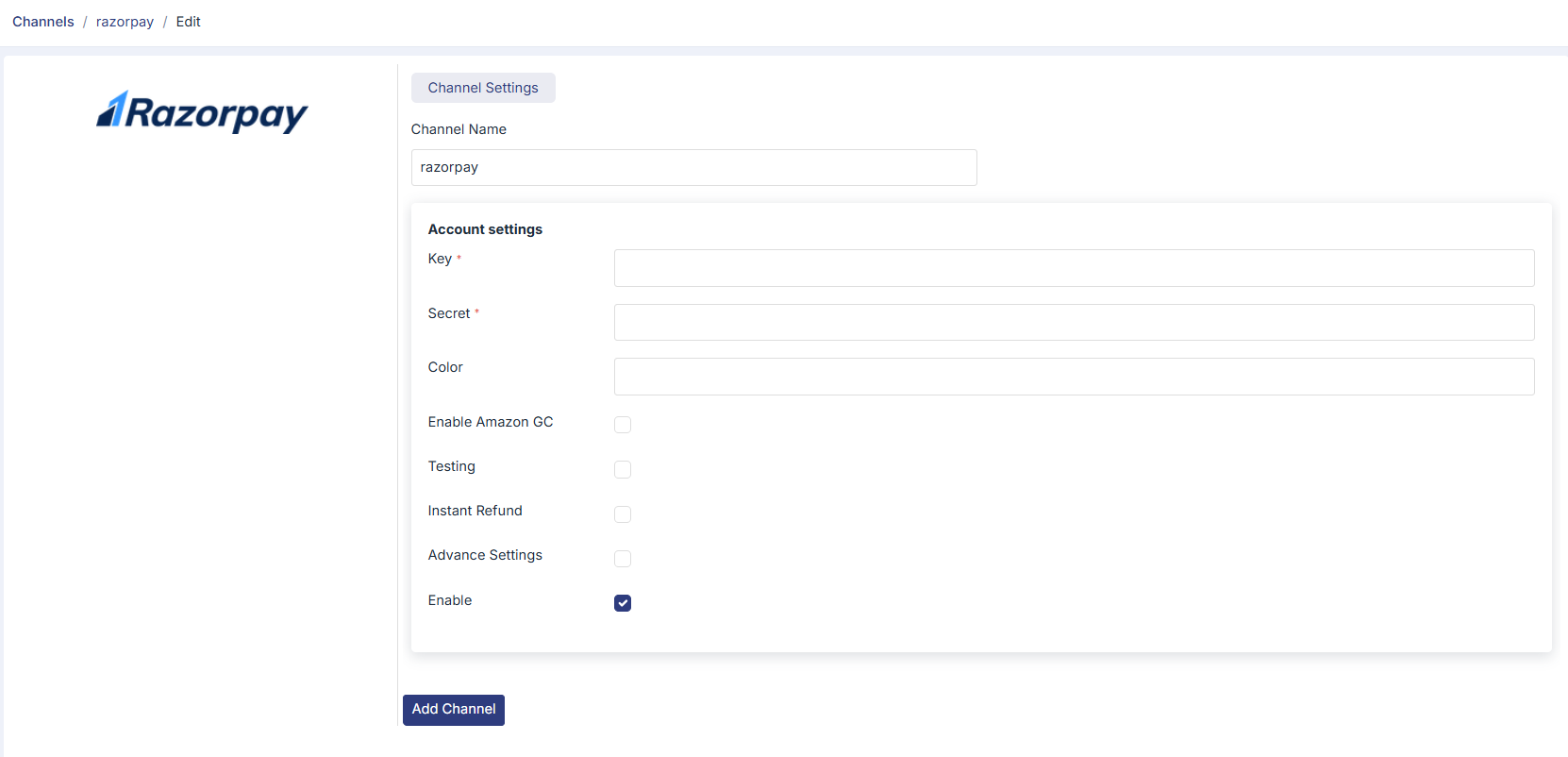
- Channel Name: A label to identify this channel (e.g. "razorpay").
- Key & Secret: Your Razorpay API credentials. These are mandatory fields (marked with *). You can find them in your Razorpay dashboard under API Keys.
- Color: Optional. Used to customize the appearance of the payment button or widget.
- Enable Amazon GC: Check this if you want to accept Amazon Gift Cards as a payment method through Razorpay.
- Testing: Enable this to run transactions in test/sandbox mode before going live. Turn it off for live payments.
- Instant Refund: When enabled, refunds are processed immediately instead of following the standard refund timeline.
- Advance Settings: Check this to reveal additional configuration options if needed.
- Enable: This toggle activates or deactivates the Razorpay channel. It is checked by default, meaning the channel is live once saved.
Once all fields are filled in, click Add Channel to save and activate Razorpay as a payment option in your store.
Once channel is integrated you go to Settings > Payment Methods section in seller dashboard to set up the Payment method as RazorPay into your dashboard.
Was this page helpful?